AGENT SPECIALTY //
Storage and backup
Disk Manager Windows investigates full drives on Windows Server, clears only what is safe, and leaves shadow copies, the page file and application data to a person.

TICKETS FROM
ServiceNow or another ITSM
CATEGORY
Storage and backup
AUTONOMY
Investigate only, with a person, or on its own
DEPLOYMENT
On-prem, cloud or hybrid
█
SPECIALTY_BRIEFING
// WHAT 2501 DOES
Disk Manager Windows is the Windows Server counterpart of Disk Manager. It investigates drive capacity alerts, clears only what is safe to remove and reports on the drive's volumes and partitions, within limits you set.
Windows servers fill up in places that are easy to miss, and the quick fixes, such as deleting logs, dumps or shadow copies, are the ones that later cost an audit trail, a crash analysis or a restore.
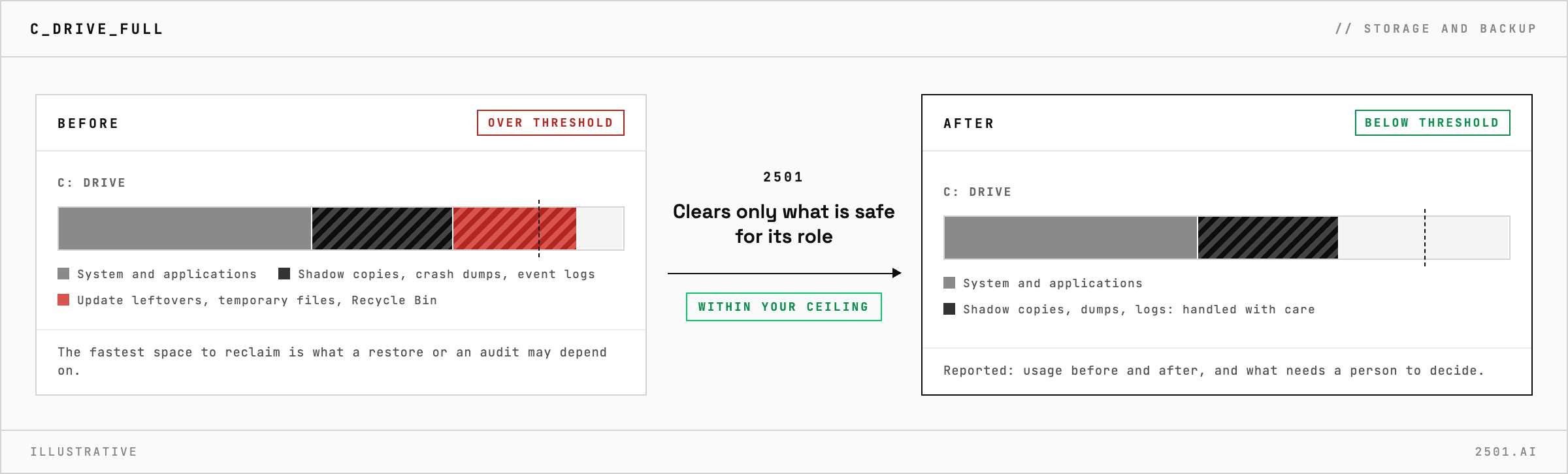
Disk Manager Windows checks the drive and the health of the disk under it, and looks where Windows space usually goes: update leftovers, temporary files, event logs, the Recycle Bin and memory dumps. It prefers rotating logs to deleting them, always keeps the most recent crash dump, and removes nothing newer than your retention period. It adapts to the server's role: a domain controller, a database server and a web server each have different things that are safe to clear. Its report gives usage before and after, what each action recovered, and what needs an application owner, a policy change or more capacity.
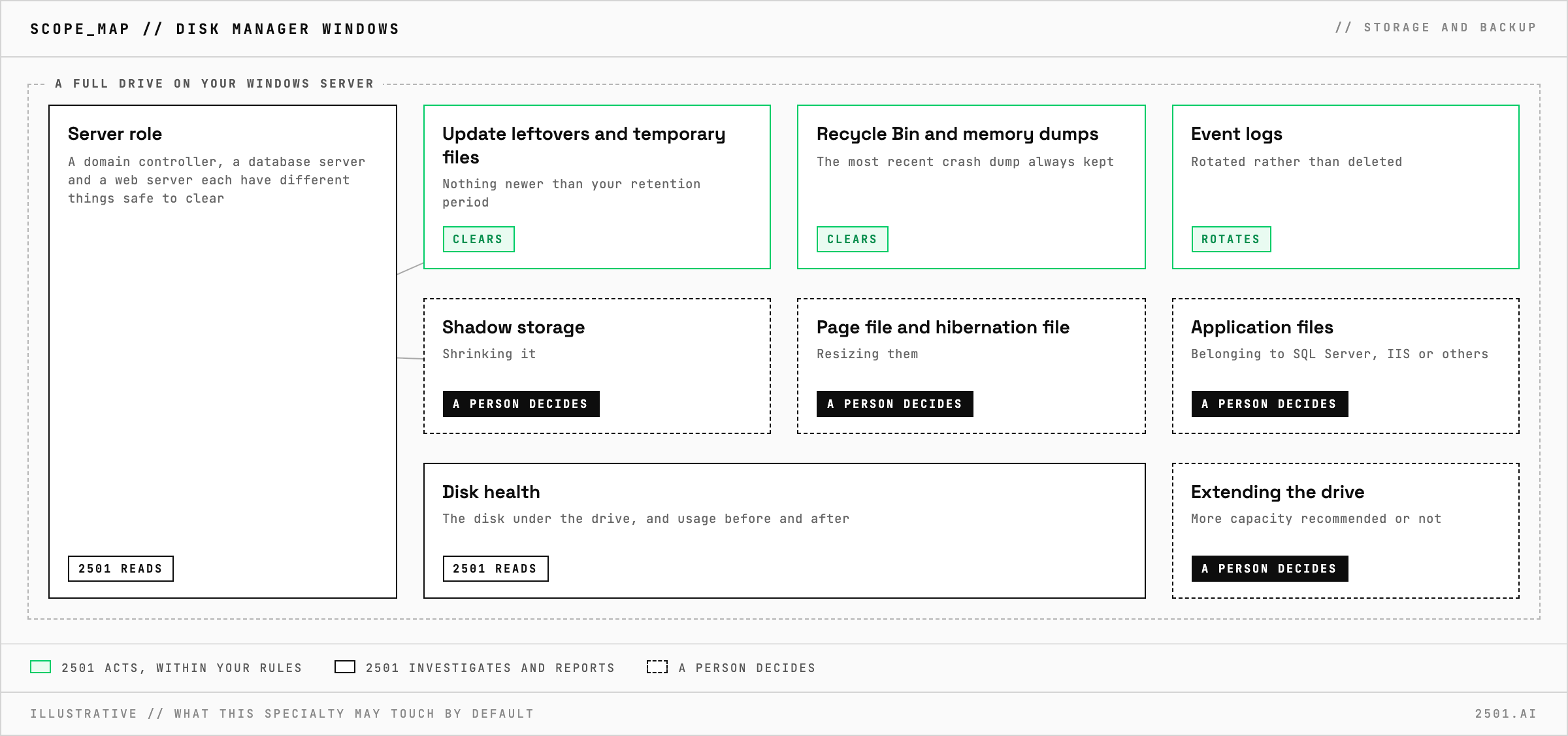
How is it different from Disk Manager? Disk Manager and Disk Manager LVM cover Linux disks. Disk Manager Windows covers where space goes on Windows Server and what must not be cleared blindly.
Will it extend the drive if cleanup is not enough? No. It reports whether more capacity is recommended, and extending the drive is left to a person.
Each page is one kind of ticket, and how this specialty handles it within the limits you set.
> READY_TO_DEPLOY
Book a technical demo and walk through your own environment with the 2501 team.