
AGENT SPECIALTY //
Storage and backup
Disk Manager LVM investigates full LVM logical volumes, removes only what is safe, and says whether growing the volume is warranted, without ever growing it itself.
TICKETS FROM
ServiceNow or another ITSM
CATEGORY
Storage and backup
AUTONOMY
Investigate only, with a person, or on its own
DEPLOYMENT
On-prem, cloud or hybrid
█
SPECIALTY_BRIEFING
// WHAT 2501 DOES
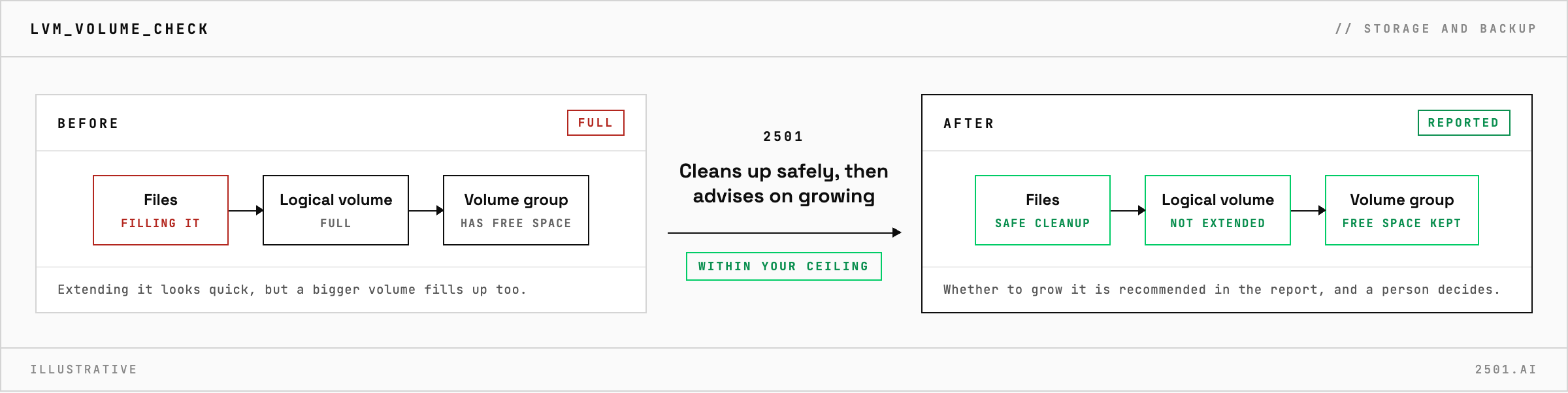
Disk Manager LVM is the 2501 specialty for Linux disks managed by LVM. It brings Disk Manager's investigation and safe cleanup to logical volumes, within limits you set, and reports whether a volume should grow without ever growing it.
A full logical volume often sits in a volume group with free space, so extending it looks like the quick fix. But if something is filling the volume, a bigger one fills too.
Disk Manager LVM reads the logical volume and its volume group as well as the files: how large the volume is and how much free space the group has. It finds what is filling the volume and why, checks that log rotation and retention are working, and removes only files that are no longer in use and clearly past retention, with your retention policies taking precedence. When safe cleanup is not enough, its report sets out what was recovered, what needs a service fix or a person's decision, and whether extending the volume is recommended, and why. The typical ticket is an LVM logical volume filling up.

How is it different from Disk Manager? The cleanup discipline is the same. Disk Manager LVM also looks at the volume and its volume group and says whether to grow it, while Disk Manager covers Linux disks in general.
What does it leave to a person? Database files and application data, large live logs, recent backups and snapshots, anything whose purpose is unclear, and any decision to grow a volume.
Each page is one kind of ticket, and how this specialty handles it within the limits you set.
> READY_TO_DEPLOY
Book a technical demo and walk through your own environment with the 2501 team.

