AGENT SPECIALTY //
Storage and backup
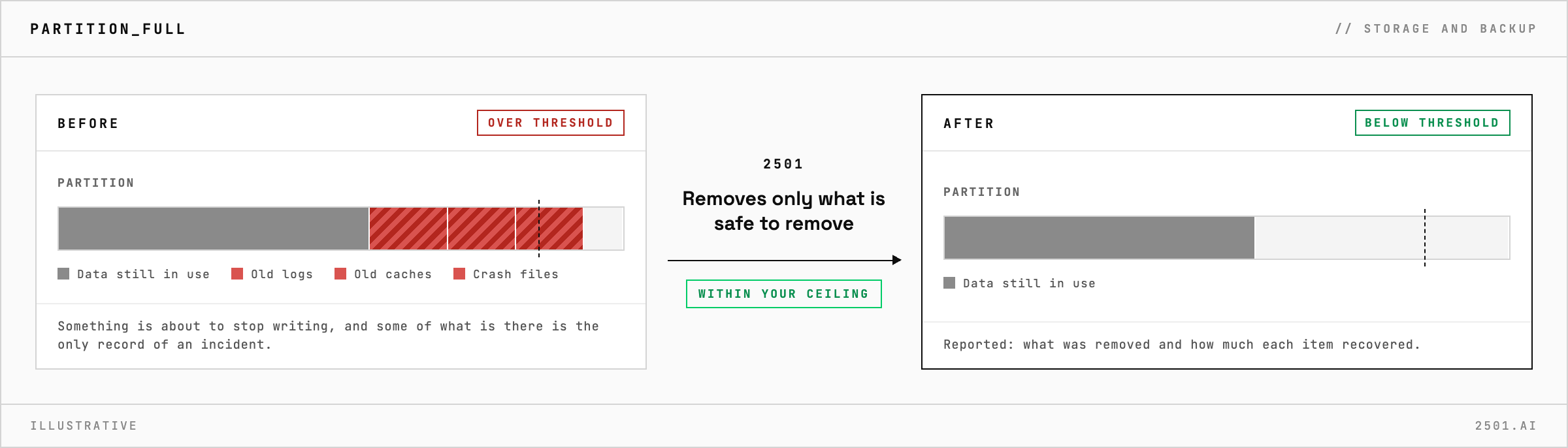
Disk Manager finds what is filling a Linux disk and why, removes only what is safe to remove, and reports the rest with the numbers a person needs to decide.

TICKETS FROM
ServiceNow or another ITSM
CATEGORY
Storage and backup
AUTONOMY
Investigate only, with a person, or on its own
DEPLOYMENT
On-prem, cloud or hybrid
█
SPECIALTY_BRIEFING
// WHAT 2501 DOES
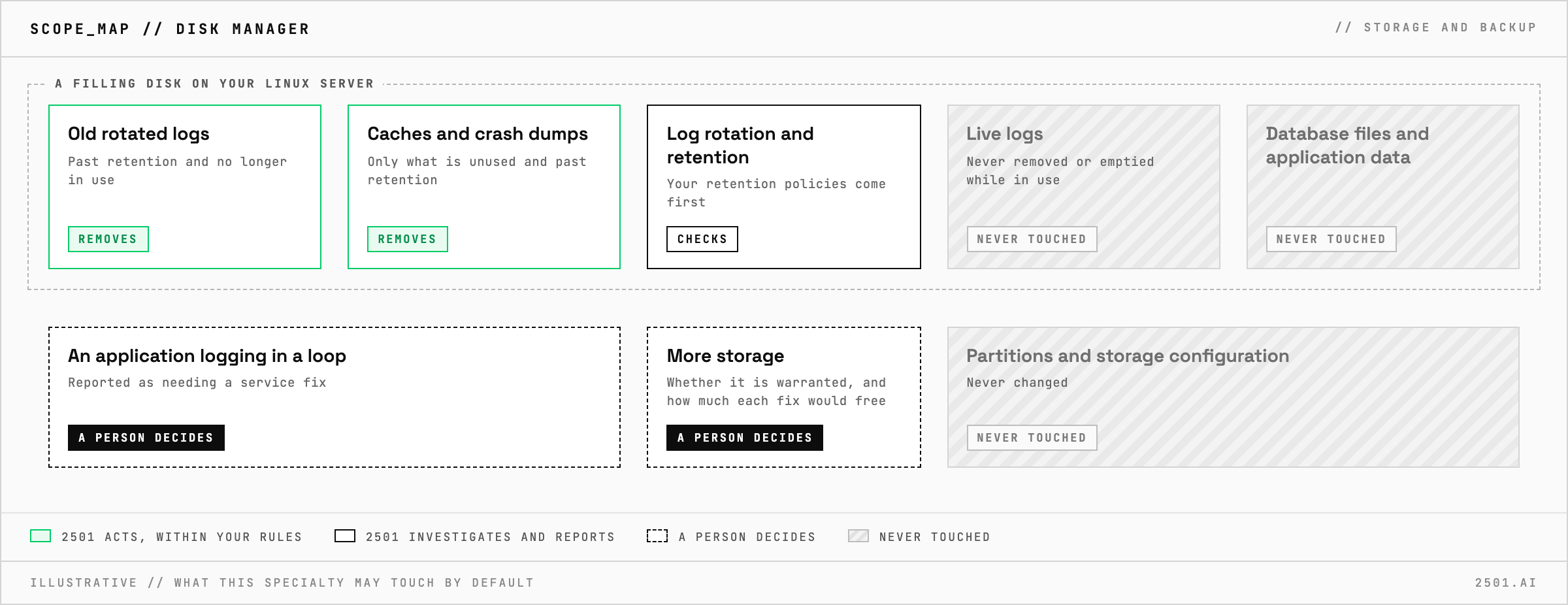
Disk Manager is the 2501 specialty for disk space alerts on Linux. It finds out why a disk is filling, removes only what is safe, within limits you set, and reports the rest for a person to decide.
A disk alert fires and whoever picks it up must decide, on a host they may not know, what can go. Old rotated logs can; a live log or a database file cannot, and the pressure to free space fast is how the wrong one disappears.
Disk Manager looks at everything that fills a Linux disk, from logs and caches to crash dumps and backups, and asks why, not only where. It checks that log rotation and retention are working, and removes only files no longer in use and clearly past retention. Your retention policies take precedence. Its report covers the rest: what needs a service fix, such as an application logging errors in a loop, what needs a person's decision, how much each would free, and whether more storage is warranted. Typical tickets: a full partition, a full log partition, core dumps and a growing build cache.
Which disk specialty do I need? Disk Manager for Linux disks in general, Disk Manager LVM for LVM logical volumes, and Disk Manager Windows for Windows Server drives.
Can it report without removing anything? Yes. In investigate-only mode it reports what fills the disk and what it would remove, removing nothing.
Each page is one kind of ticket, and how this specialty handles it within the limits you set.
> READY_TO_DEPLOY
Book a technical demo and walk through your own environment with the 2501 team.