
SOLUTION //
SysOps Windows
Rebooting a slow Windows server hides why it slowed down. How 2501 finds the cause over PowerShell and WinRM and, out of the box, reports it without changing anything.
TICKETS FROM
ServiceNow or another ITSM
SAFEGUARDS
Your rules, confirmation and blacklists
AUTONOMY
Investigate only, with a person, or on its own
DEPLOYMENT
On-prem, cloud or hybrid
█
SOLUTION_BRIEFING
// HOW 2501 HANDLES IT
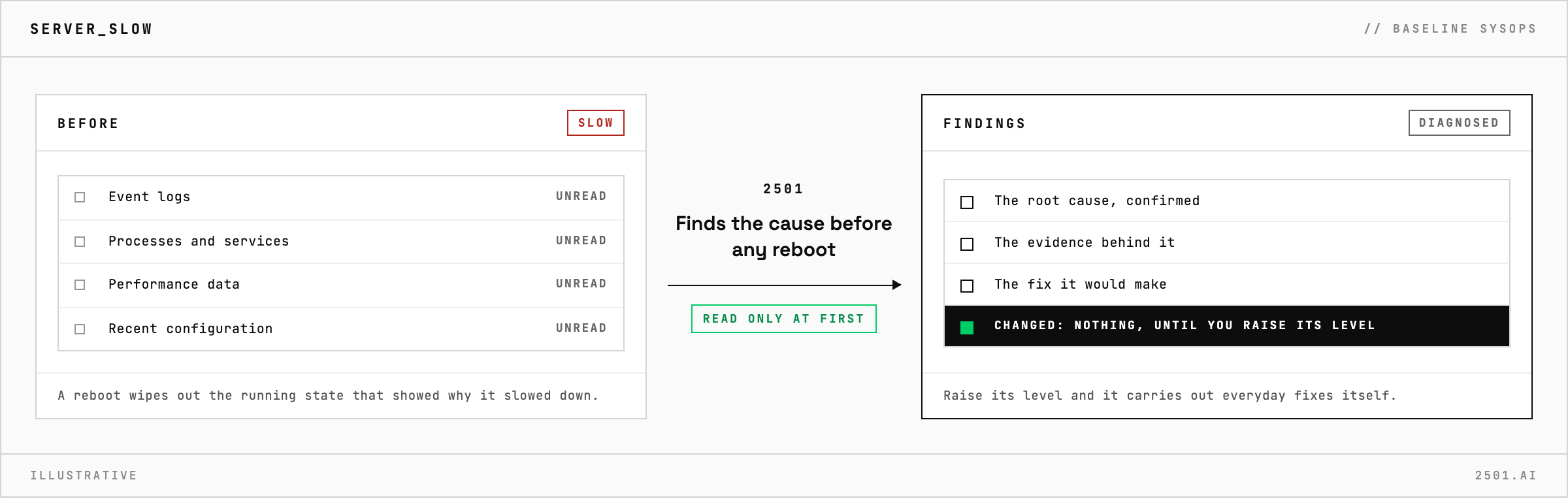
Rebooting a slow Windows server often makes it fast again for a while, but it wipes out the running state that showed why it slowed down. 2501 finds the cause first and, out of the box, reports it with the fix it would make, changing nothing.
The ticket just says the server is slow, and the cause could be anything from a runaway process to a recent configuration change.
SysOps Windows works over PowerShell and WinRM. It reads the server's event logs, processes, services, performance data and configuration, and confirms the root cause before it recommends anything. Out of the box it stops there: the ticket gets the diagnosis, the evidence behind it and the fix it would make, such as stopping a runaway process, clearing disk space or restarting a service. Raise its level and it can carry out those everyday fixes itself, then check the server is healthy again. Full drives and failing services have their own specialties, such as Disk Manager Windows.

Why does it start in investigate-only mode? The recommended way to start any specialty is to read its diagnoses before it may change anything. SysOps Windows ships that way, and you raise its level once its reports look right.
Does a ticket asking for a fix change that? No. A request for a fix ends with the findings and an explanation of why nothing was changed, until you raise the level.
> READY_TO_DEPLOY
Book a technical demo and walk through your own environment with the 2501 team.
