AGENT SPECIALTY //
Databases
SQL Server Manager handles DBA work on Linux and Windows, from databases stuck offline and blocked sessions to backups and index maintenance, within limits you set.
TICKETS FROM
ServiceNow or another ITSM
CATEGORY
Databases
AUTONOMY
Investigate only, with a person, or on its own
DEPLOYMENT
On-prem, cloud or hybrid
█
SPECIALTY_BRIEFING
// WHAT 2501 DOES
2501's SQL Server Manager specialty handles SQL Server DBA work on Linux and Windows: databases that will not come online, blocked sessions, storage running low, backups and index maintenance. Nothing destructive runs without a verified backup, and it acts only as far as you allow.
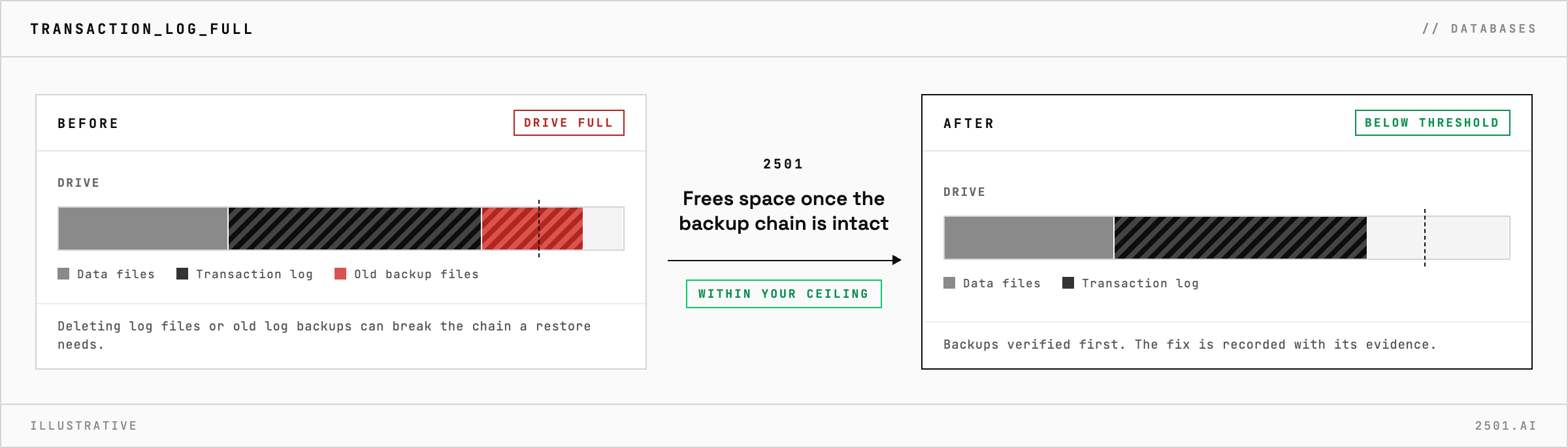
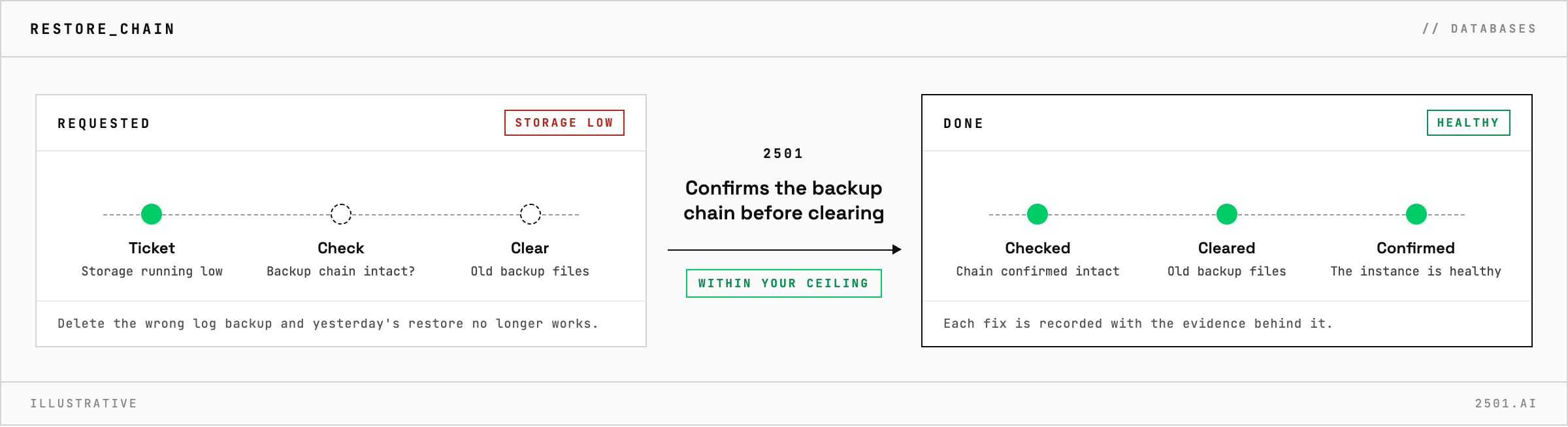
A database is stuck offline, a data or log file has filled its drive, or one session is holding up a queue of others. The fix is often routine, but on a production instance a careless one is expensive: delete the wrong log backup and a restore that worked yesterday no longer does.
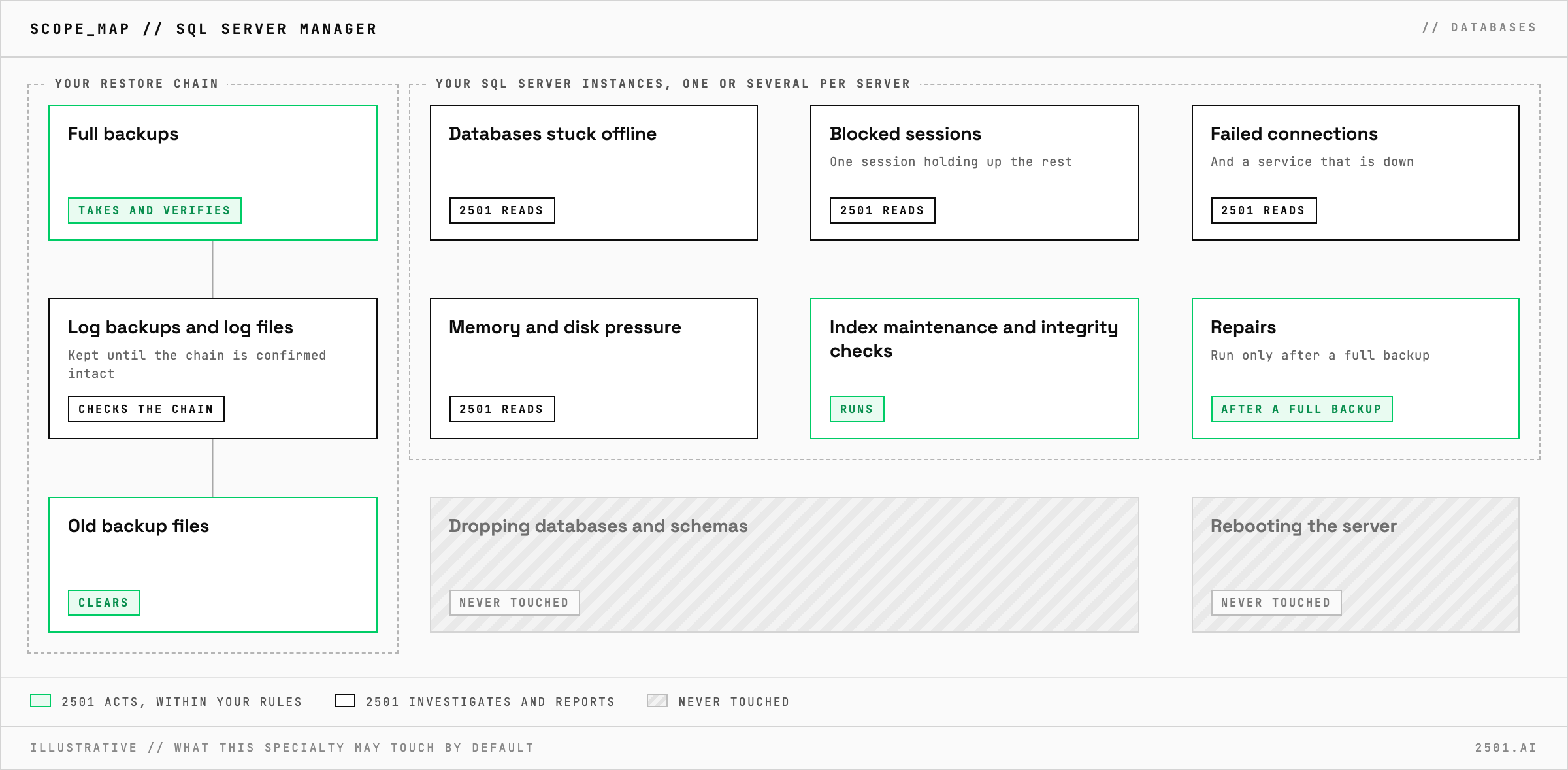
The SQL Server specialty takes these requests from your ticketing system, whether a server runs one instance or several. It investigates databases that are offline or stuck, a service that is down, failed connections, blocking, and memory or disk pressure. It carries out routine DBA work: taking and verifying backups, index maintenance, integrity checks and clearing old backup files. It confirms the instance is healthy after every change and records each fix with the evidence behind it.
Does it work with SQL Server on Linux? Yes, as well as on Windows, where 2501 reaches the server through Windows remote management.
Will it drop a database or reboot the server to fix a problem? No. Dropping databases and schemas, and rebooting the server, are outside what the specialty may do.
Each page is one kind of ticket, and how this specialty handles it within the limits you set.
> READY_TO_DEPLOY
Book a technical demo and walk through your own environment with the 2501 team.