AGENT SPECIALTY //
Databases
PostgreSQL Manager handles PostgreSQL users, roles and permissions, failed logins, exhausted connections, blocking sessions and bloat, within the access you give it.
TICKETS FROM
ServiceNow or another ITSM
CATEGORY
Databases
AUTONOMY
Investigate only, with a person, or on its own
DEPLOYMENT
On-prem, cloud or hybrid
█
SPECIALTY_BRIEFING
// WHAT 2501 DOES
2501's PostgreSQL Manager specialty works PostgreSQL tickets end to end: users and roles, permissions, connection and login problems, and routine maintenance. It investigates before it changes anything, and the riskiest changes wait for a person.
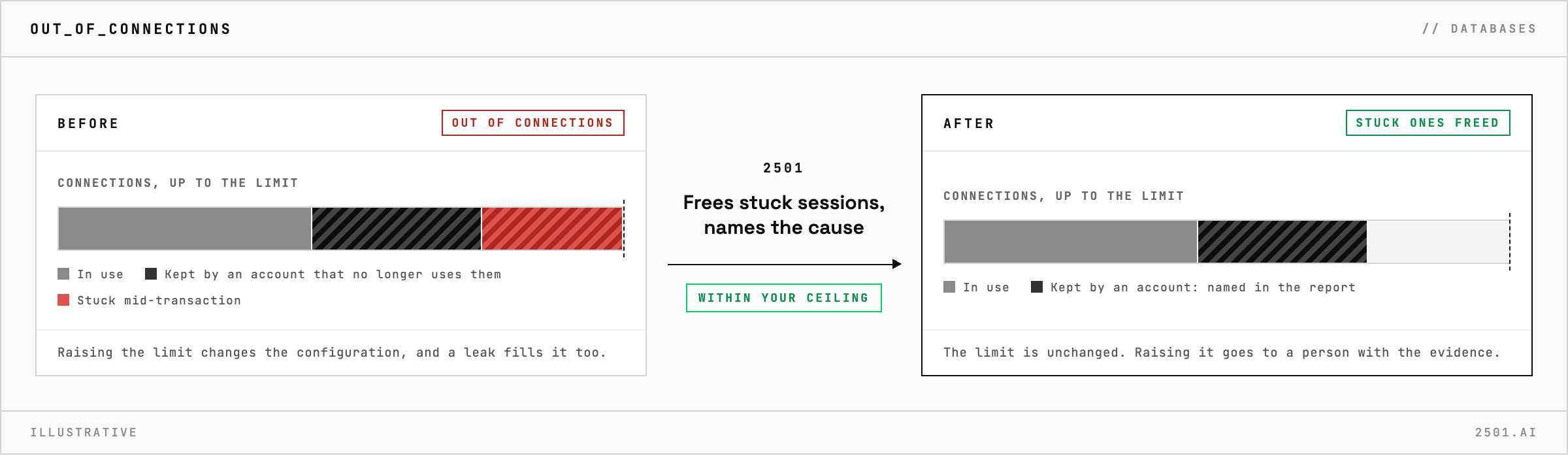
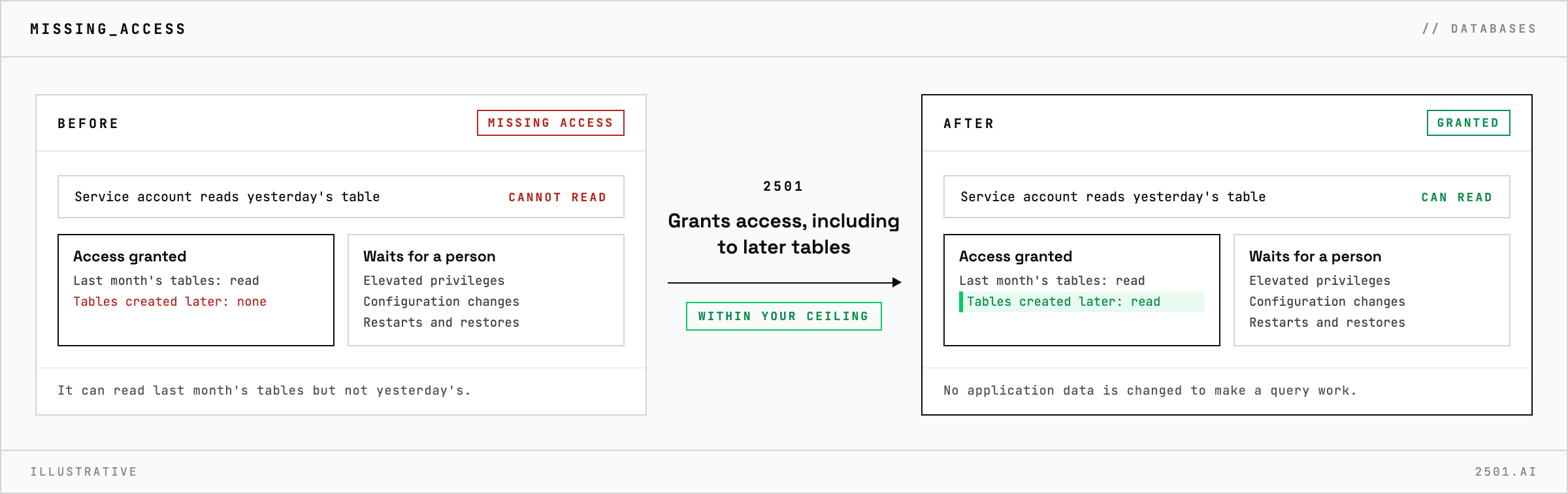
A new service account can read last month's tables but not yesterday's. An application runs out of connections at its busiest hour, or a session left open mid-transaction holds a lock that everything else queues behind. None of it is difficult, but each ticket waits for a DBA and has to be exactly right.
The PostgreSQL specialty takes these requests from your ticketing system and works on clusters running on Unix and Linux servers. It creates, renames and removes users and roles, rotates passwords, and grants or revokes access to schemas and tables, including tables created later. It troubleshoots unreachable servers, exhausted connections, failed logins, long-running queries and blocking sessions, and looks after maintenance and storage: bloated tables and indexes, upkeep that has fallen behind, growing transaction logs and oversized databases. What it changed, and why, is always reported.
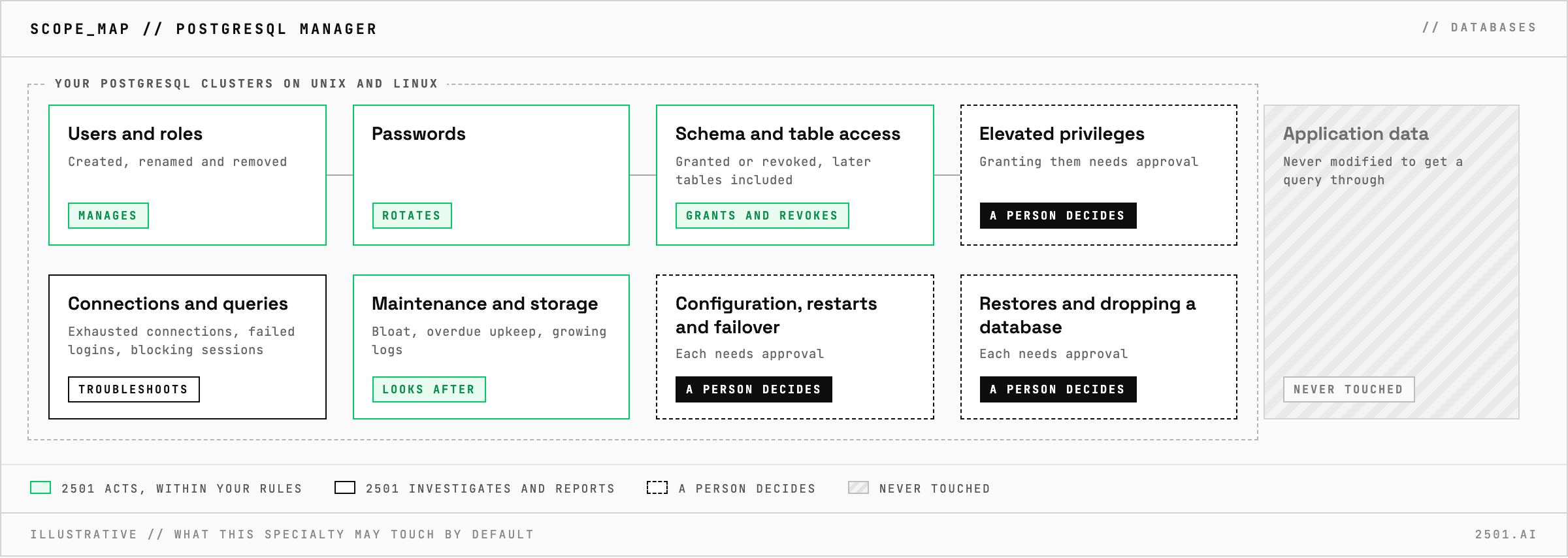
Will it change application data to make a query work? No. It does not modify application data or bypass the rules on who may see which rows to get a query through.
What if the real problem is a full disk? It hands the ticket to the specialty for that, with its findings: the disk specialty, for example, when transaction logs have filled the disk.
Each page is one kind of ticket, and how this specialty handles it within the limits you set.
> READY_TO_DEPLOY
Book a technical demo and walk through your own environment with the 2501 team.