
SOLUTION //
HOW 2501 WORKS
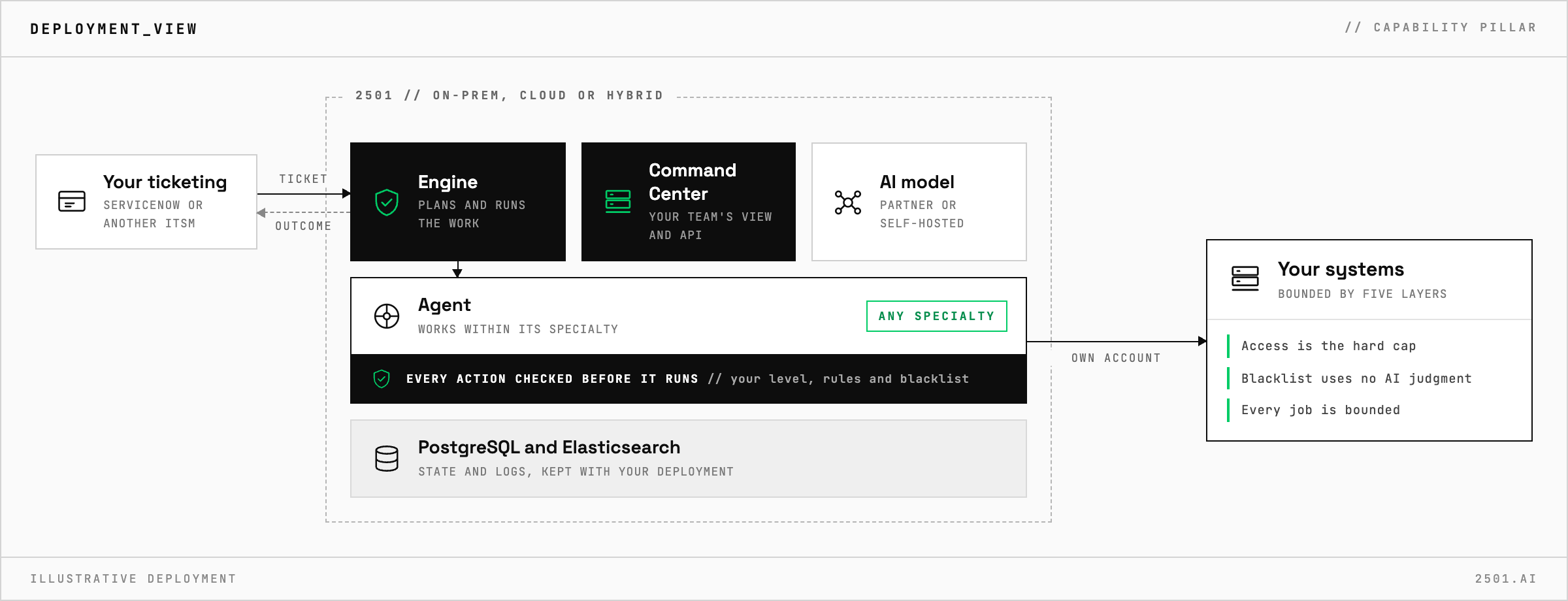
Five independent layers bound what a 2501 agent can do, and the strongest of them is not the instruction it is given. What each layer stops, in plain terms.
TICKETS FROM
ServiceNow or another ITSM
SAFEGUARDS
Your rules, confirmation and blacklists
AUTONOMY
Investigate only, with a person, or on its own
DEPLOYMENT
On-prem, cloud or hybrid
█
SOLUTION_BRIEFING
// HOW 2501 HANDLES IT
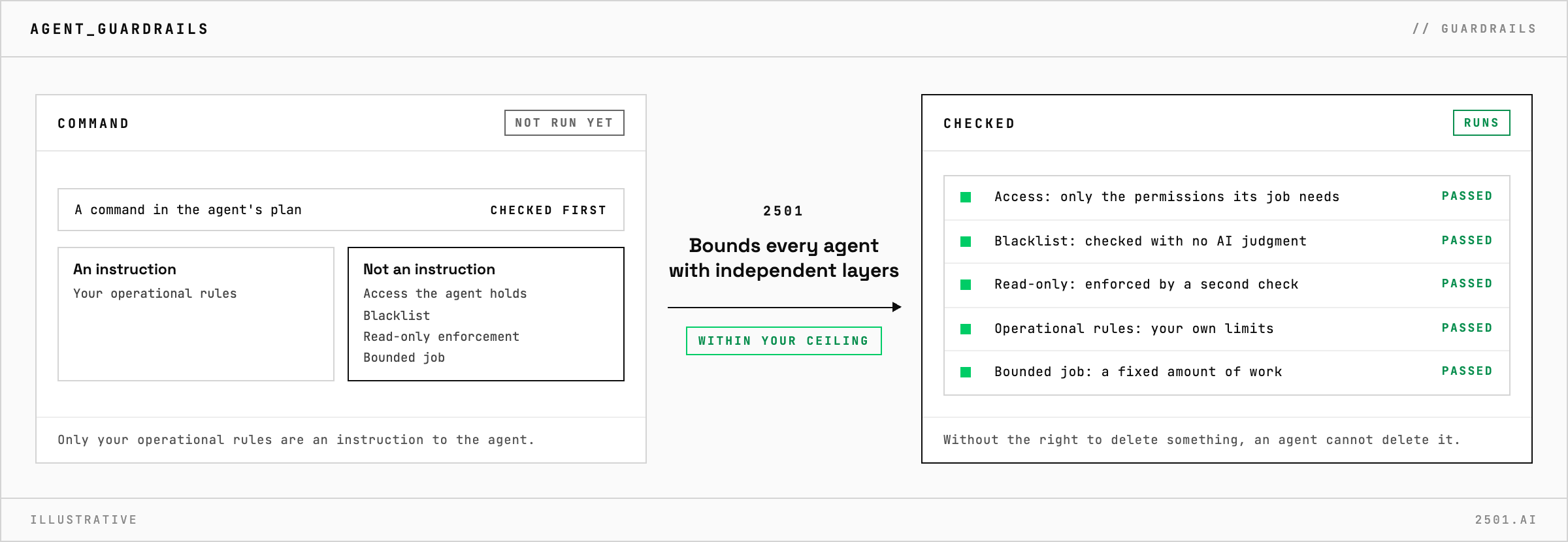
Telling an AI agent not to do something is the weakest way to stop it. 2501 bounds every agent with five independent layers, and only one of them (your operational rules) is an instruction to the agent. The strongest is the access the agent holds: an agent without the right to delete something cannot delete it, whatever a ticket or a model says.
This is the page to point a security review at.
Autonomy is a ceiling you set per specialty: investigate only, act after a person confirms, or act on its own within your rules. Because the ceiling belongs to the specialty rather than to the ticket, the wording of a ticket cannot raise it. A request to fix something that a specialty may only investigate is answered with what the agent found and why it did not act.
Start any new specialty investigate-only, watch its plans for a week, and raise the ceiling only when they consistently look right. When you do, widen its access and its rules together.
What stops an agent running a destructive command? The blacklist, checked before every command without any AI judgment. Beneath it, the agent's own access limits what it could do.
Can an agent be talked into doing something it should not? Instructions can be manipulated; access cannot. An agent without permission to make a change cannot make it.
Can a read-only agent be talked into acting? No. A specialty set to investigate only stays read-only however a ticket is worded.
> READY_TO_DEPLOY
Book a technical demo and walk through your own environment with the 2501 team.
