AGENT SPECIALTY //
Databases
Oracle Manager carries out Oracle Database DBA work on Unix and Linux: instances that are down, connection problems, storage running out, archived logs and backups.

TICKETS FROM
ServiceNow or another ITSM
CATEGORY
Databases
AUTONOMY
Investigate only, with a person, or on its own
DEPLOYMENT
On-prem, cloud or hybrid
█
SPECIALTY_BRIEFING
// WHAT 2501 DOES
When an Oracle Database on a Unix or Linux server is down, refusing connections or out of space, 2501's Oracle Manager specialty investigates it the way a DBA would and fixes what you allow it to.
An Oracle alert at night usually comes down to a handful of causes: the instance is not open, clients cannot connect, the database has run out of storage space, or archived logs have filled their disk and the database can no longer accept changes. Someone has to work out which before anything can safely change.
The Oracle specialty takes these requests from your ticketing system and covers maintenance, troubleshooting and optimisation. It investigates the instance, client connections, database storage and disk usage, memory and disk load on the host, and the database's error log. It carries out routine DBA work: starting and stopping the database, taking backups, clearing archived logs, and exporting or importing data. It confirms the database is healthy after every change and reports what it changed, and why.
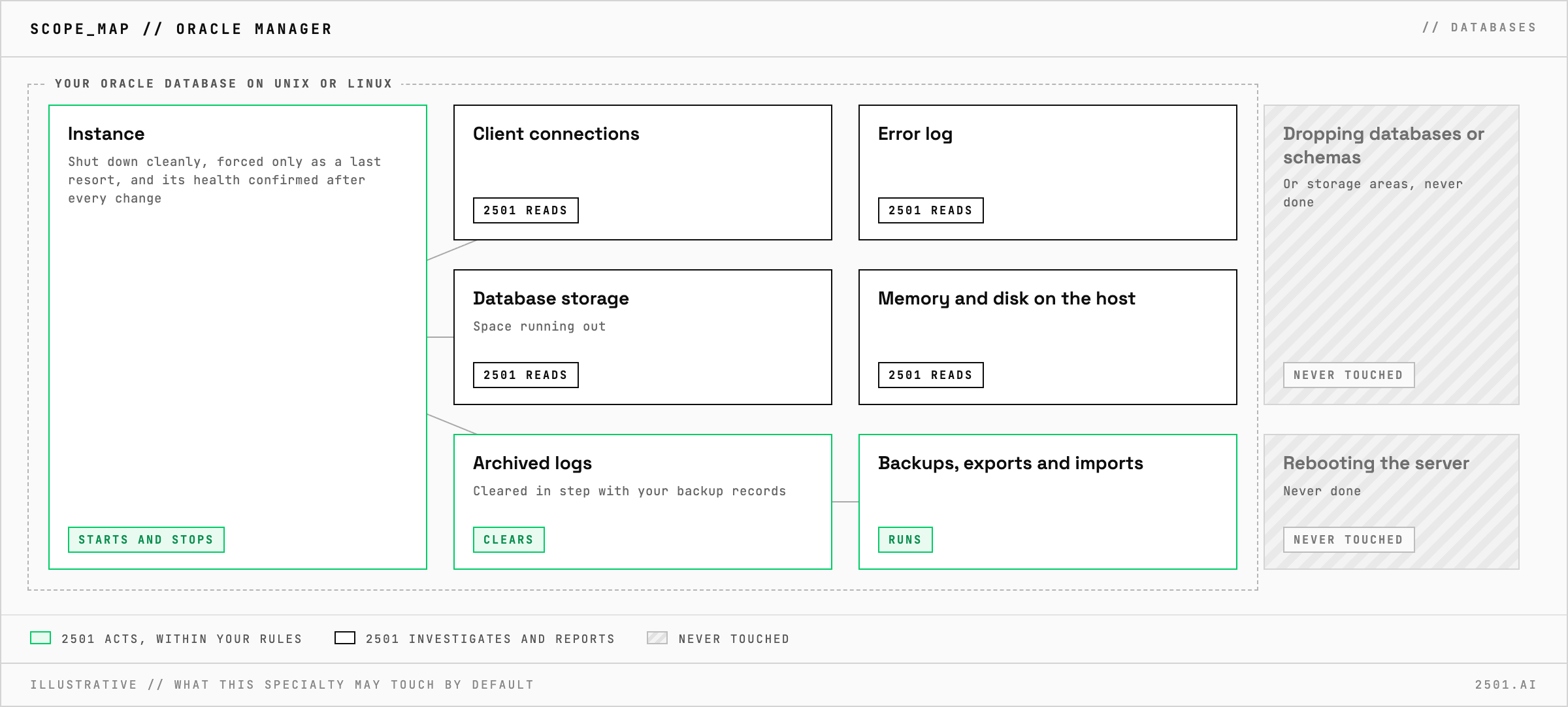
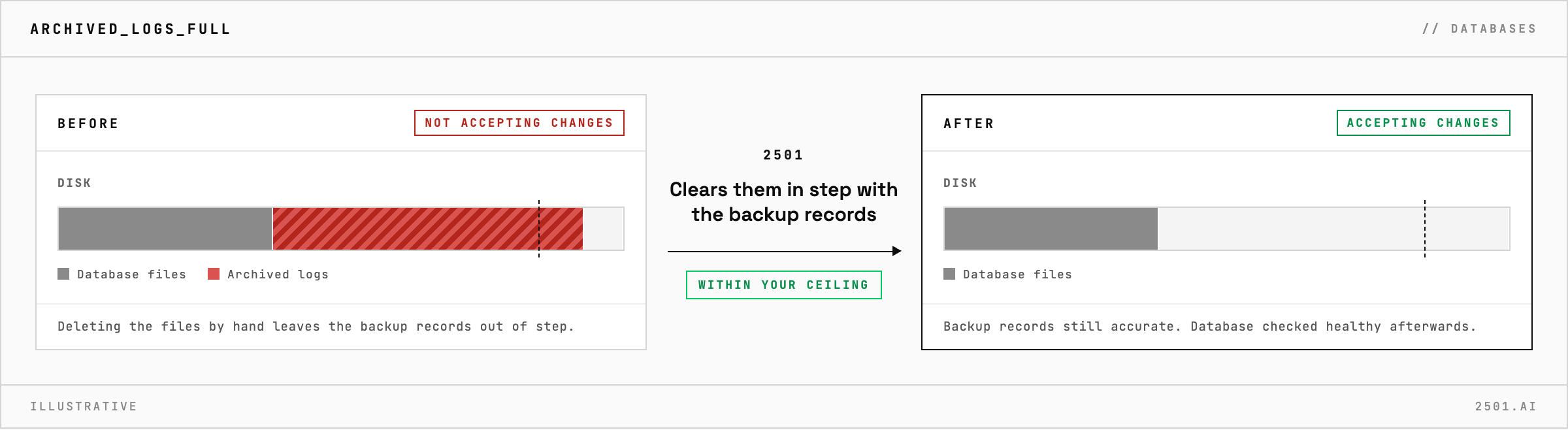
Can it clear archived logs when their disk fills up? Yes, where you allow it. They are cleared in step with your backup records, not deleted behind their back.
Will it force a shutdown? Only as a last resort. It shuts the database down cleanly, and forces it only when nothing else will recover the instance.
Each page is one kind of ticket, and how this specialty handles it within the limits you set.
> READY_TO_DEPLOY
Book a technical demo and walk through your own environment with the 2501 team.