AGENT SPECIALTY //
Network and edge
PaloAlto Manager handles security policy, NAT, objects and VPNs on Palo Alto Networks firewalls and Panorama, with every commit previewed and tied to its ticket.

TICKETS FROM
ServiceNow or another ITSM
CATEGORY
Network and edge
AUTONOMY
Investigate only, with a person, or on its own
DEPLOYMENT
On-prem, cloud or hybrid
█
SPECIALTY_BRIEFING
// WHAT 2501 DOES
2501's PaloAlto Manager specialty handles Palo Alto Networks firewall work (security policy, NAT, address and service objects, and VPNs) on standalone firewalls and through Panorama, with strict commit discipline. It acts only as far as you allow.
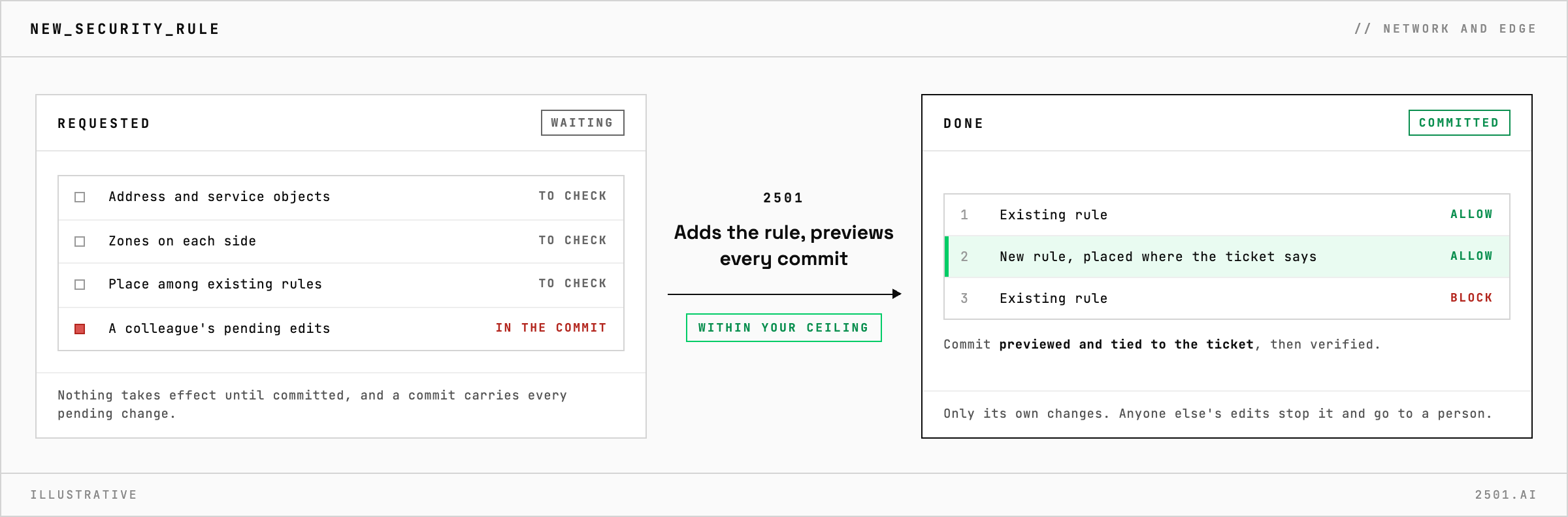
Firewall tickets are precise and unforgiving: open this flow, add this NAT, bring up this tunnel. The change is small; getting zones, rule order and objects right, without committing someone else's pending edits, is where the risk lies.
The Palo Alto specialty takes these requests from your ticketing system. It reuses existing objects, follows your naming conventions, and places new rules where the ticket says, since the first match wins. Every commit is previewed and carries the ticket reference, none is forced past a real error, and if another administrator has changes pending, it stops rather than commit them. It never deletes a rule or object that something depends on, never turns logging off, and never writes a rule from any zone to any zone.

Does it work with Panorama? Yes. Changes to Panorama-managed firewalls go through Panorama to the right group of firewalls; standalone firewalls are committed on the firewall itself.
What if the ticket leaves out a detail? It reports what is missing, such as a VPN key or the address at the other end of a tunnel, rather than inventing it.
Can it carry out approved change requests? Yes. From ServiceNow, the default gateway, an approved change is carried out as planned, and closing it stays with your team.
Each page is one kind of ticket, and how this specialty handles it within the limits you set.
> READY_TO_DEPLOY
Book a technical demo and walk through your own environment with the 2501 team.