AGENT SPECIALTY //
Automation and CI
CI Manager investigates failed CI runs in GitHub Actions, GitLab CI, Jenkins, CircleCI and Azure DevOps, retries only transient failures and unblocks stuck queues.
TICKETS FROM
ServiceNow or another ITSM
CATEGORY
Automation and CI
AUTONOMY
Investigate only, with a person, or on its own
DEPLOYMENT
On-prem, cloud or hybrid
█
SPECIALTY_BRIEFING
// WHAT 2501 DOES
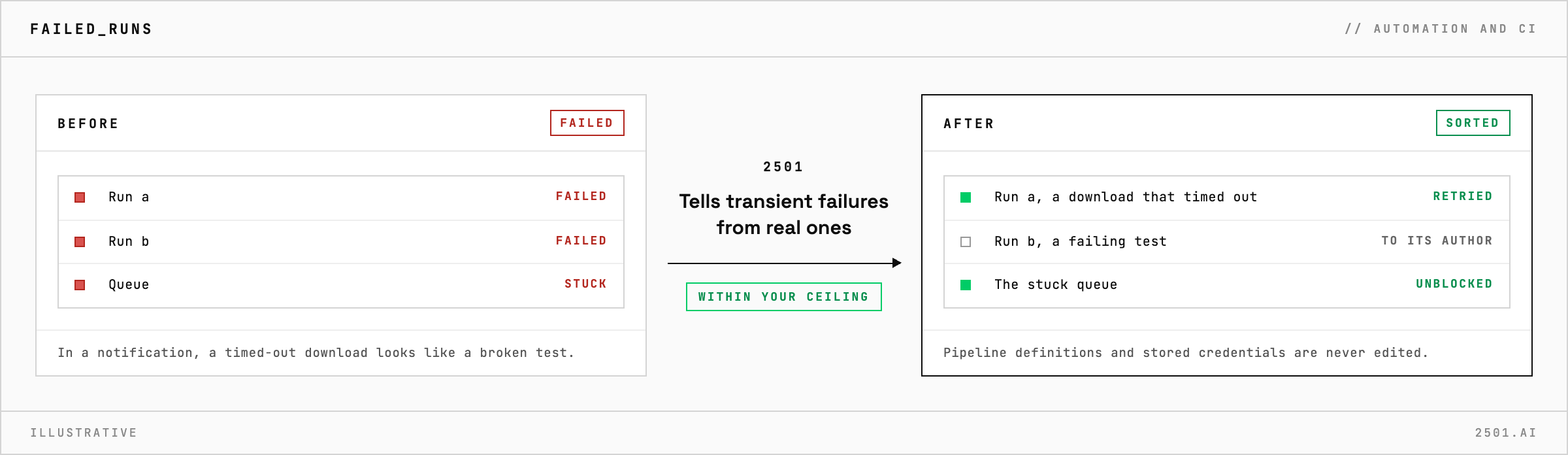
2501's CI Manager specialty investigates failed runs in GitHub Actions, GitLab CI, Jenkins, CircleCI and Azure DevOps, retries the ones that failed for a transient reason, and unblocks stuck queues. Real failures go to their owner, and it acts only as far as you allow.
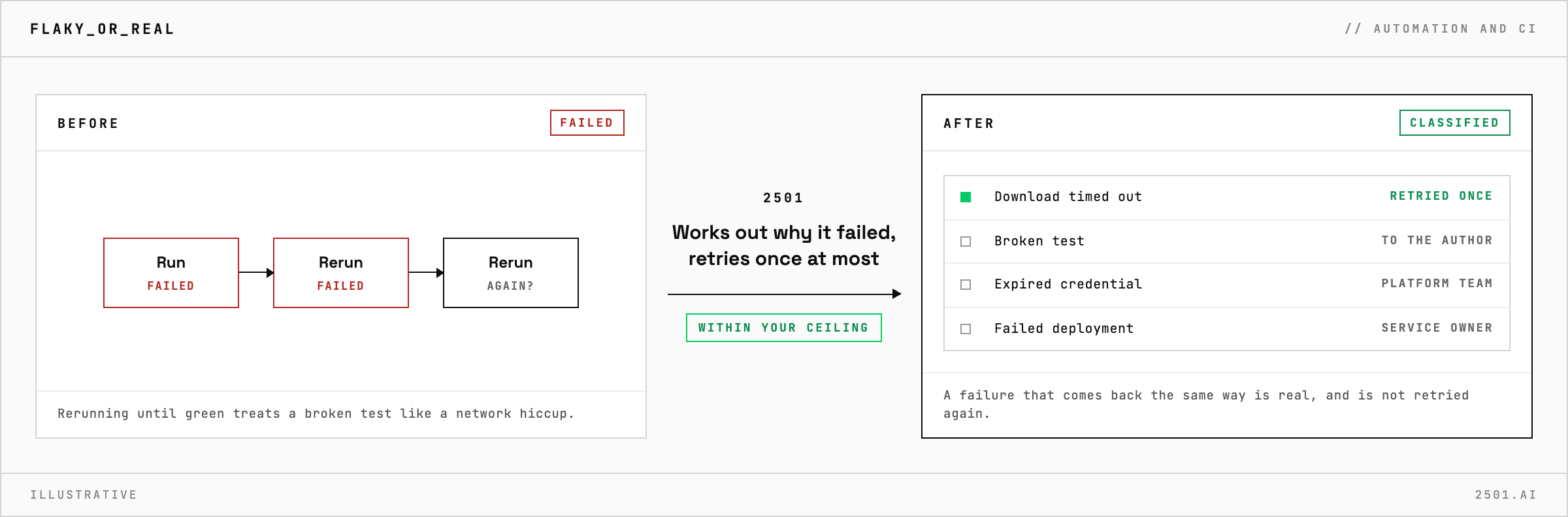
In a notification, a download that timed out and will work on the next run looks exactly like a test someone broke. Rerunning everything wastes build time and hides the real failures.
The CI specialty takes these requests from your ticketing system. It separates transient failures, such as a network timeout or a build machine that dropped out, from real ones: a failing test or build, an expired password or key, a deployment that failed its checks. A transient failure gets one retry, and the agent waits for the result before closing the ticket. A real failure goes with the evidence to the developer who made the change, the platform team or the service owner. For a stuck queue, it finds out whether build machines are offline, at capacity or unable to take the job.

Which CI systems does it work with? GitHub Actions, GitLab CI, Jenkins, CircleCI and Azure DevOps.
Will it keep rerunning a test that fails at random? No. It retries a failure once at most, and a test that fails again goes to its author with the evidence.
Each page is one kind of ticket, and how this specialty handles it within the limits you set.
> READY_TO_DEPLOY
Book a technical demo and walk through your own environment with the 2501 team.