AGENT SPECIALTY //
Automation and CI
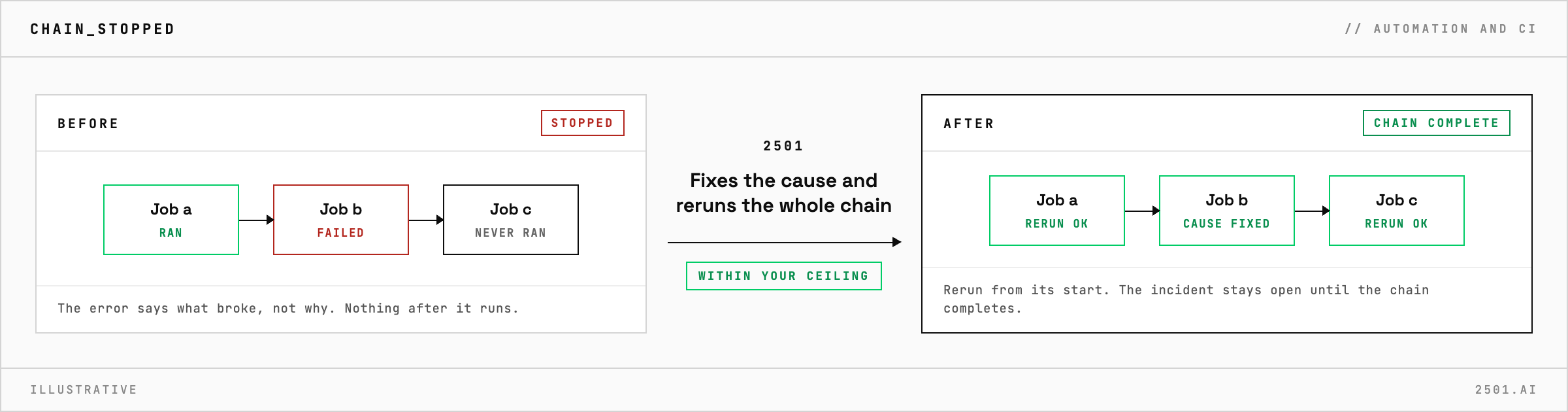
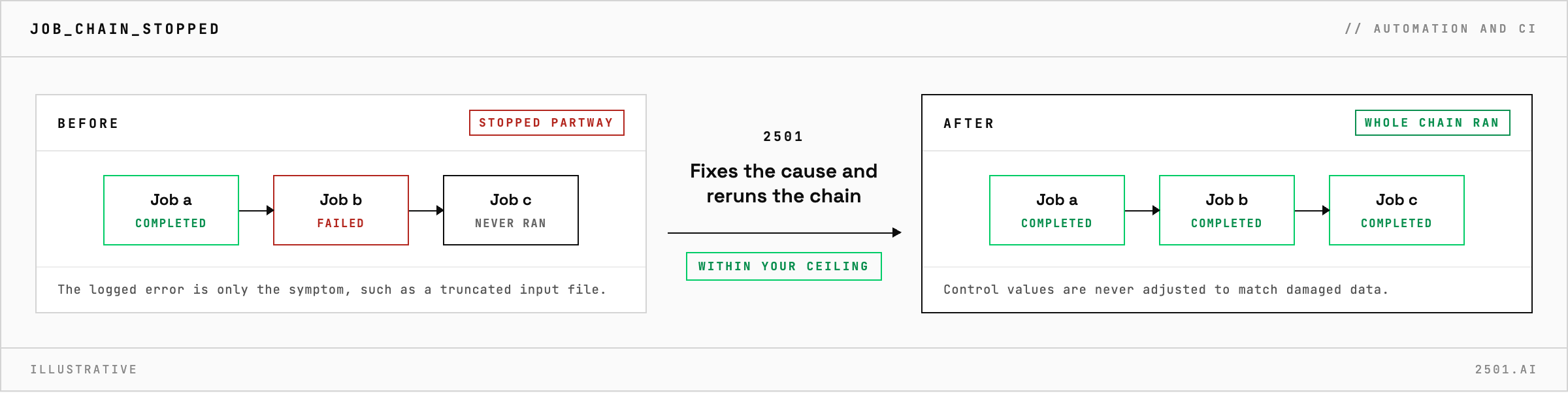
Batch Scheduling handles Rundeck job chains that stop partway: it finds the failed job and why, fixes the cause and reruns the chain, without bending a business control.
TICKETS FROM
ServiceNow or another ITSM
CATEGORY
Automation and CI
AUTONOMY
Investigate only, with a person, or on its own
DEPLOYMENT
On-prem, cloud or hybrid
█
SPECIALTY_BRIEFING
// WHAT 2501 DOES
When a Rundeck job chain stops partway, 2501's Batch Scheduling specialty finds the job that failed and why, fixes the underlying cause, and reruns the chain so every job after the failure runs. It works within limits you set.
A nightly chain stops halfway and nothing after the failure runs. The logged error is only the symptom: the cause may be a truncated input file, or a record count that no longer matches its control file.
The Batch Scheduling specialty takes the incident from your ticketing system. It reads the failed execution in Rundeck, fixes the cause and reruns the chain from its start. A chain that completes on bad data does more harm than one that stops, so control values from the upstream system are treated as authoritative and never adjusted to match damaged data. The report names the failed job, the cause, the fix and how each job did on the rerun, so an operator can retrace the work in Rundeck.
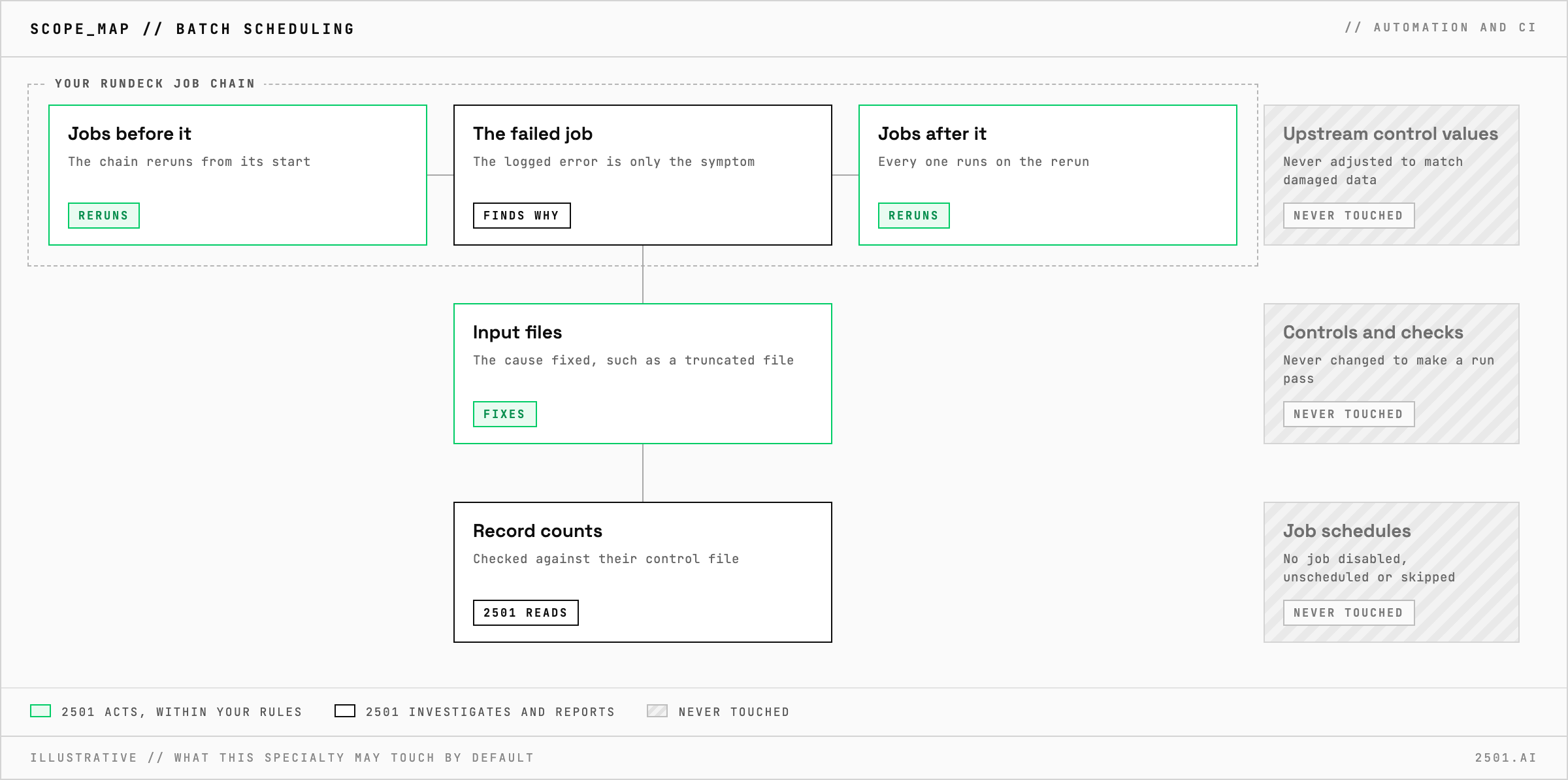
Does it rerun only the job that failed? It may, to confirm a fix, but the incident stays open until the whole chain has run successfully.
Can it diagnose without fixing anything? Yes. In investigate-only mode it reports which job failed, why, and the fix it would make, and changes nothing.
Each page is one kind of ticket, and how this specialty handles it within the limits you set.
> READY_TO_DEPLOY
Book a technical demo and walk through your own environment with the 2501 team.