AGENT SPECIALTY //
Identity and directory
2501's Active Directory Operator handles user and group requests, investigates Group Policy and replication problems, and checks domain controller, DNS and DHCP health.

TICKETS FROM
ServiceNow or another ITSM
CATEGORY
Identity and directory
AUTONOMY
Investigate only, with a person, or on its own
DEPLOYMENT
On-prem, cloud or hybrid
█
SPECIALTY_BRIEFING
// WHAT 2501 DOES
Active Directory Operator is 2501's specialty for Active Directory: it handles user and group requests, investigates Group Policy that is not applying, and checks domain controllers, replication, DNS and DHCP.
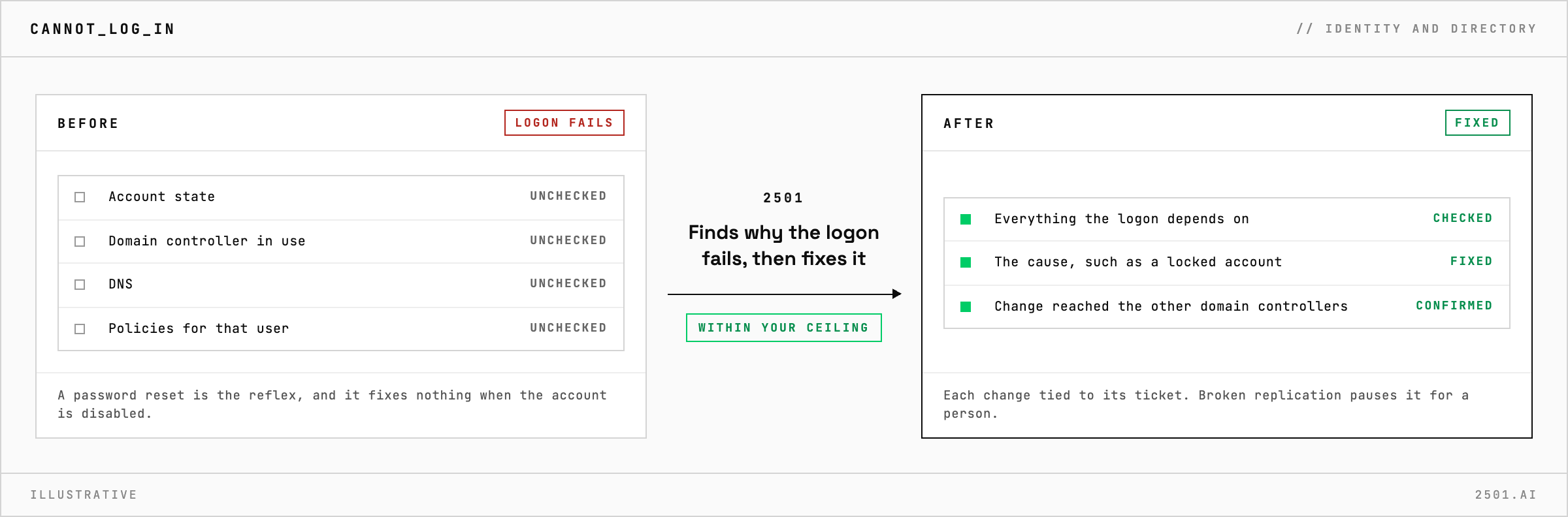
Directory tickets arrive all day: a new starter, a leaver, a password reset, a user who cannot log in. Each is small, but some changes cannot be undone, and much of what looks like Active Directory failing turns out to be DNS or replication.
The Active Directory specialty takes these requests from your ticketing system. It creates and updates accounts, resets passwords, unlocks users and manages group membership, marking each change with its ticket. A leaver is disabled, not deleted, so group memberships and mailbox links survive. When a policy is not applying, it works out which policy wins before anyone edits one. A change is done only once it has reached the other domain controllers, and it pauses if replication is broken. When something blocks a request, it reports the blocker and the exact next step.
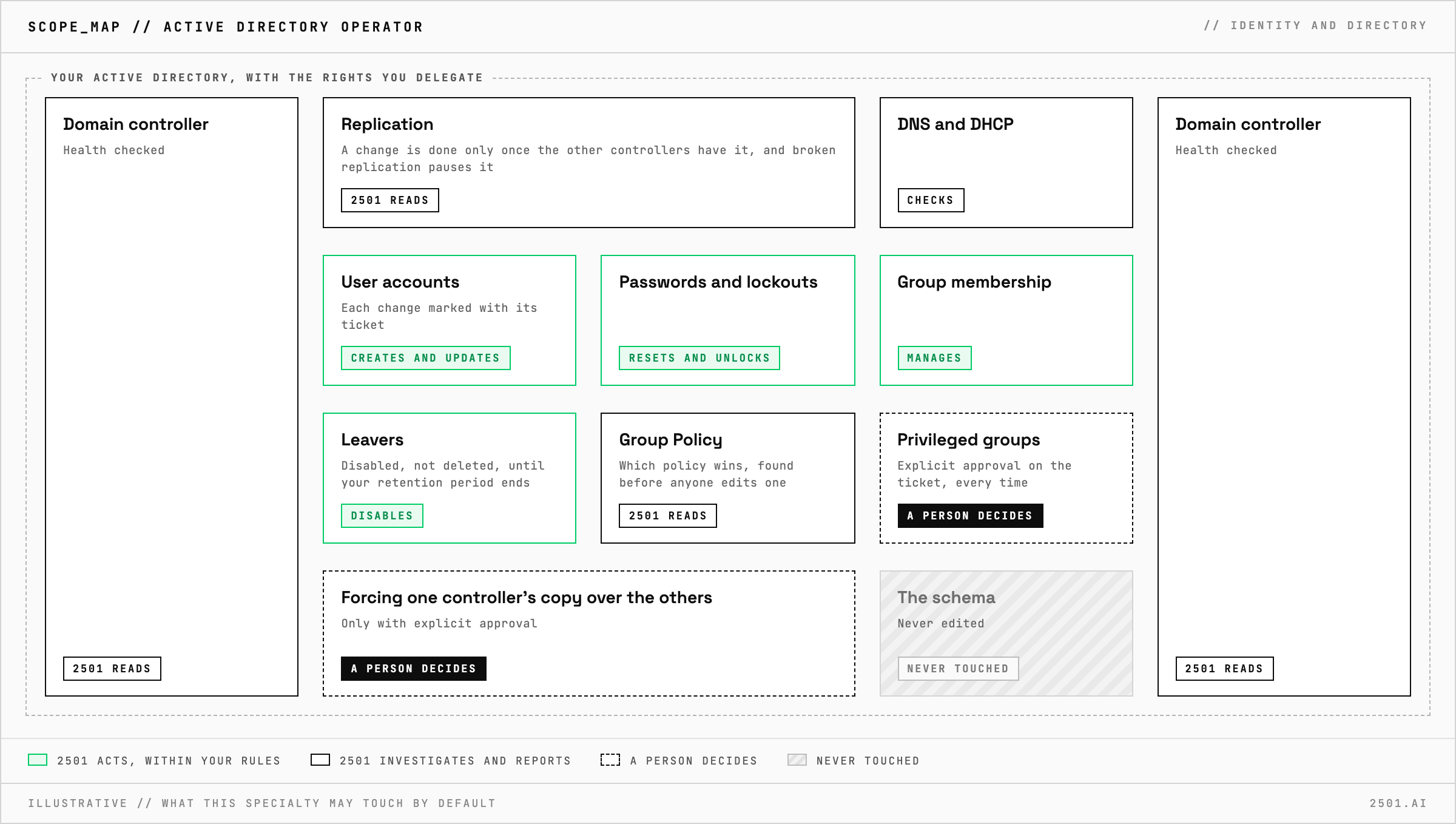
Does it need Domain Admin rights? No. It works with the rights you delegate to it, not Domain Admin, unless a ticket explicitly calls for it.
When does it delete an account? Only after your retention period, because a deleted account is hard to bring back.
Each page is one kind of ticket, and how this specialty handles it within the limits you set.
> READY_TO_DEPLOY
Book a technical demo and walk through your own environment with the 2501 team.