
SOLUTION //
SQL Server Manager
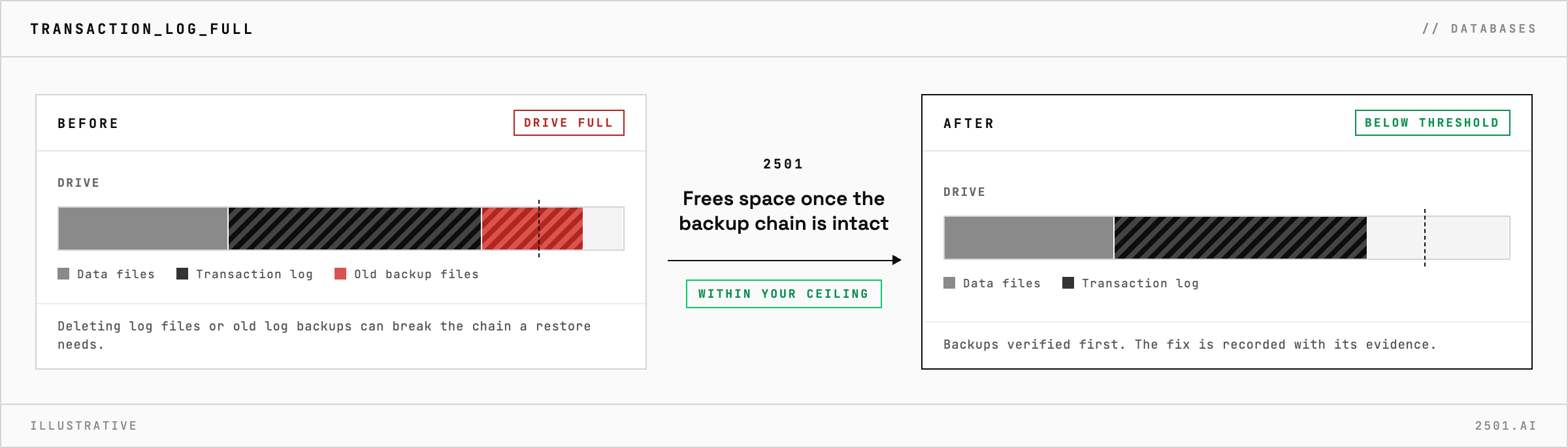
Deleting old log backups frees a SQL Server drive and can break the backup chain a restore needs. How 2501 frees space only once that chain is confirmed intact.
TICKETS FROM
ServiceNow or another ITSM
SAFEGUARDS
Your rules, confirmation and blacklists
AUTONOMY
Investigate only, with a person, or on its own
DEPLOYMENT
On-prem, cloud or hybrid
█
SOLUTION_BRIEFING
// HOW 2501 HANDLES IT
When a SQL Server transaction log fills its drive, deleting old log backups is the quick way to free space, and a missing log backup breaks the chain that a restore depends on. 2501 works out what filled the drive and frees space only once that chain is confirmed intact.
It can happen on Linux or Windows, on a default instance or one of several named ones, and the files sit in different places on each, so the first job is finding which file grew.
The SQL Server specialty takes the alert from your ticketing system and finds which files are using the drive and why, from the error log and the state of each database and the service. Within your limits it does the routine DBA work the fix calls for, such as taking and verifying backups and clearing old backup files.
It confirms the instance is healthy after every change and records the fix with its evidence. What it cannot solve safely, it documents and escalates to a person.

What if something other than the log filled the drive? It finds which files are using the space, whether data files, log files or backups, and works on the real cause, or hands its findings to a person.
Will it restart SQL Server? Only when the fix calls for it, and it forces the service down only when nothing else will recover it.
> READY_TO_DEPLOY
Book a technical demo and walk through your own environment with the 2501 team.
