
SOLUTION //
Oracle Manager
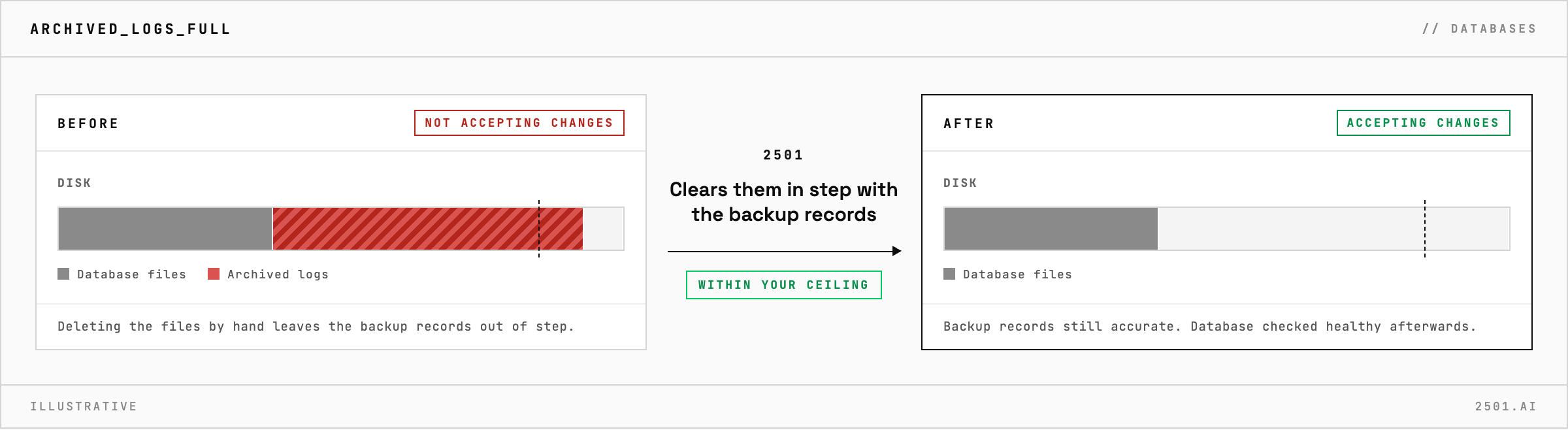
Deleting archived logs by hand frees the disk and leaves Oracle's backup records out of step. How 2501 clears them in step with those records, within limits you set.
TICKETS FROM
ServiceNow or another ITSM
SAFEGUARDS
Your rules, confirmation and blacklists
AUTONOMY
Investigate only, with a person, or on its own
DEPLOYMENT
On-prem, cloud or hybrid
█
SOLUTION_BRIEFING
// HOW 2501 HANDLES IT
When archived logs fill their disk, Oracle Database stops accepting changes, and deleting the files by hand frees space but leaves the backup records out of step with the disk. 2501 confirms what is filling the disk, clears archived logs only where you allow it, and checks that the database is healthy afterwards.
Applications that write to the database start to hang. Before anything is removed, someone has to confirm that archived logs are really the cause, and that clearing them keeps the backup records accurate.
The Oracle specialty takes the alert from your ticketing system and investigates before it removes anything: what is using the disk, the database's error log and the state of the instance. Where you allow it, it clears archived logs in step with the backup records rather than deleting files behind their back.
It then checks that the database is healthy and accepting changes again, and reports what it changed and why. If archived logs are not the answer, it documents what it found and escalates to a person.

Why not delete the oldest archived logs by hand? The database's backup records would no longer match what is on disk. 2501 checks those records first and clears the logs in step with them.
Will it restart the database? Only when the fix calls for it, shutting it down cleanly and forcing a shutdown only when nothing else will recover the instance.
> READY_TO_DEPLOY
Book a technical demo and walk through your own environment with the 2501 team.
