
SOLUTION //
Disk Manager
Freeing a full partition is easy; freeing it without removing something that mattered is the job. How 2501 recovers space safely, within limits you set.
TICKETS FROM
ServiceNow or another ITSM
SAFEGUARDS
Your rules, confirmation and blacklists
AUTONOMY
Investigate only, with a person, or on its own
DEPLOYMENT
On-prem, cloud or hybrid
█
SOLUTION_BRIEFING
// HOW 2501 HANDLES IT
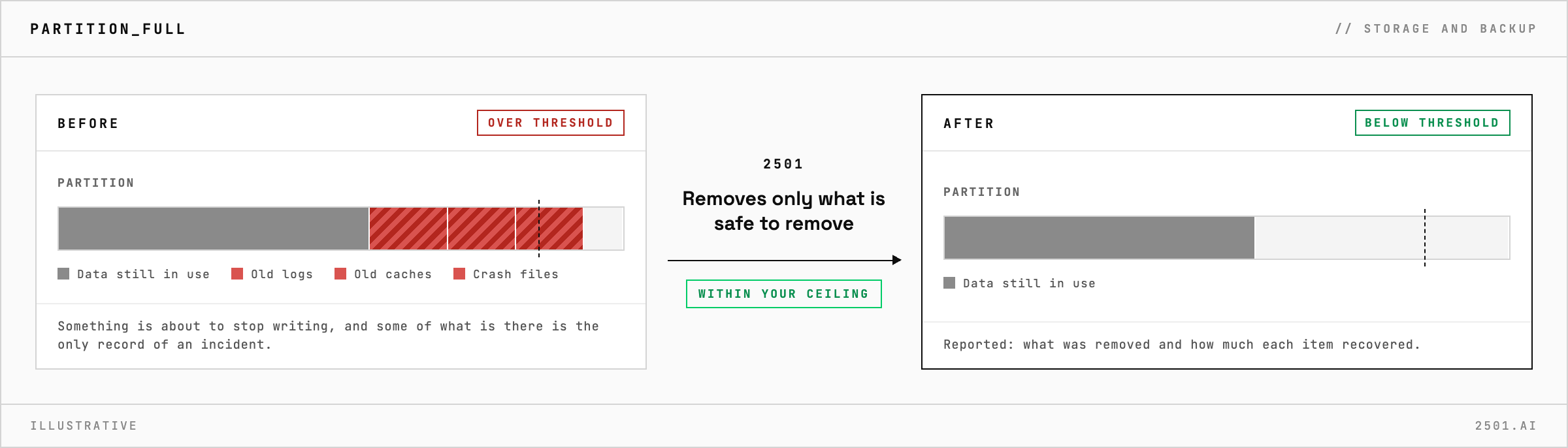
Freeing a full partition is easy; freeing it without removing something that mattered is the whole job. 2501 finds what is really using the space, removes only what is safe to remove, and reports what each removal recovered, all within limits you set.
A partition crosses its threshold and something is about to stop writing. Old logs, caches and crash files are the usual cause, and whoever picks up the alert is under pressure to clear space on a host they may not know well. Some of it can go with no loss; some is the only record of an incident.
The disk specialty investigates what is consuming the space rather than deleting the largest thing it finds. It tells stale leftovers apart from data that is still in use, frees the partition back below its threshold when that can be done safely, and reports what it removed and how much each item recovered. When the space is held by a running program rather than by files it can safely remove, it says so instead of deleting more.

Why is the disk still full after deleting files? A running program can keep holding space for files that have already been deleted. 2501 reports that case instead of removing more.
Can it show what it would remove first? Yes. In investigate-only mode it reports what it would remove, and removes nothing.
What if the disk fills again the next day? Then something is writing faster than it is cleaned up, and the report names what is using the space so that can be fixed.
> READY_TO_DEPLOY
Book a technical demo and walk through your own environment with the 2501 team.
