
SOLUTION //
Batch Scheduling
A nightly Rundeck chain stops at one job and nothing after it runs. How 2501 finds why, fixes the cause and reruns the whole chain without bending a control.
TICKETS FROM
ServiceNow or another ITSM
SAFEGUARDS
Your rules, confirmation and blacklists
AUTONOMY
Investigate only, with a person, or on its own
DEPLOYMENT
On-prem, cloud or hybrid
█
SOLUTION_BRIEFING
// HOW 2501 HANDLES IT
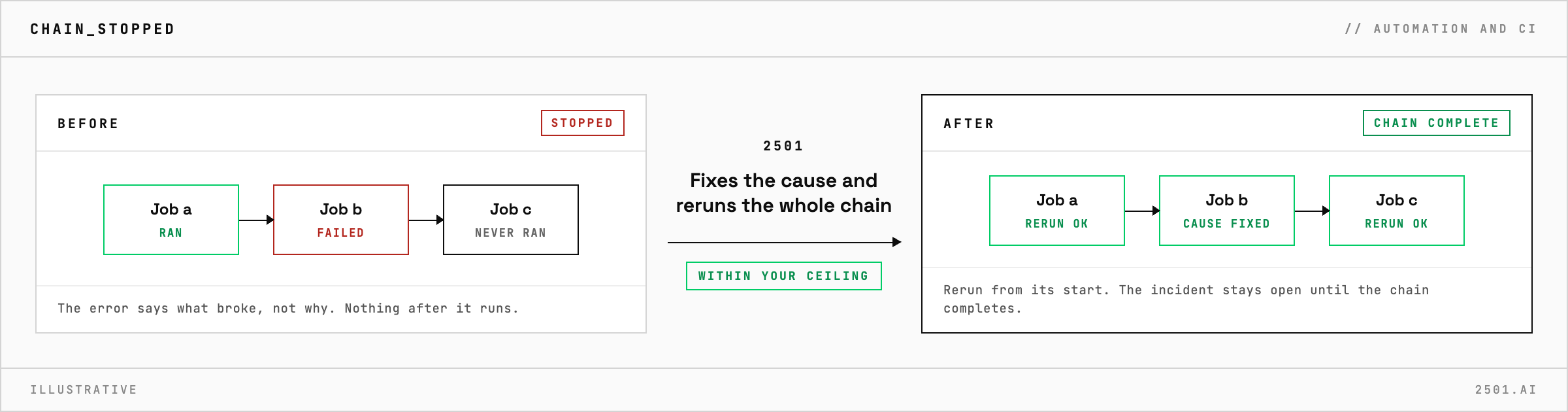
When a job chain stops at a failed job, rerunning that one job or skipping it is the quick way out, but a lone rerun leaves every job after it unrun, and forcing damaged data through spreads the damage downstream. 2501 finds the job that failed and why, fixes the underlying cause and reruns the whole Rundeck chain, within limits you set.
The job's error message says what broke, not why. Behind it may be a data problem: an input file that arrived cut short, or a record count that disagrees with the control file the upstream system sent.
The Batch Scheduling specialty reads the failed run in Rundeck to find the job that stopped the chain, then looks past the error message to the underlying cause and fixes it. The chain is then rerun from its start, and the incident stays open until it completes. The report says which job failed, why, what was fixed and how each job did on the rerun, with the runs it looked at, so an operator can retrace the work in Rundeck.

Why rerun the whole chain rather than the failed job? Because the jobs after the failure never ran. A single rerun can confirm a fix; only the whole chain finishes the work.
Can it just tell us why the chain stopped? Yes. In investigate-only mode it reports the failed job, the cause and the fix it would make, and reruns nothing.
> READY_TO_DEPLOY
Book a technical demo and walk through your own environment with the 2501 team.
