
SOLUTION //
Active Directory Operator
A password reset is the reflex when a user cannot log in. How 2501 finds the real cause first, from a locked account to DNS or replication, and fixes what you allow.
TICKETS FROM
ServiceNow or another ITSM
SAFEGUARDS
Your rules, confirmation and blacklists
AUTONOMY
Investigate only, with a person, or on its own
DEPLOYMENT
On-prem, cloud or hybrid
█
SOLUTION_BRIEFING
// HOW 2501 HANDLES IT
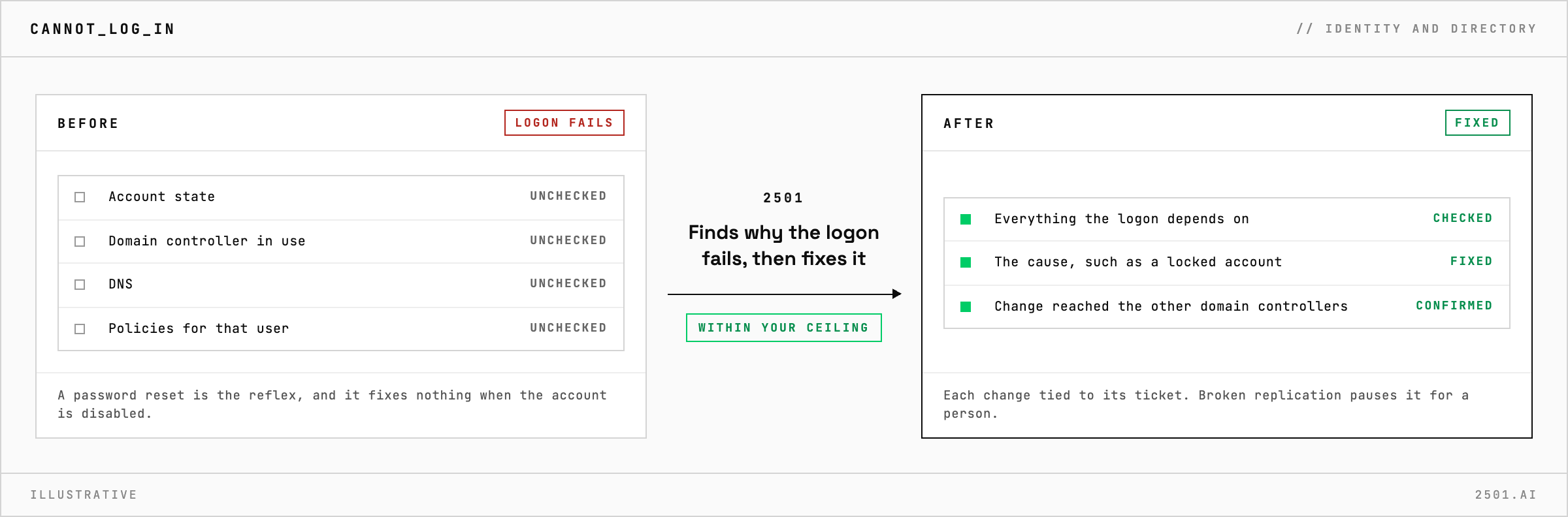
When a user cannot log in, a password reset is the reflex, and it fixes nothing when the account is disabled, a policy denies the logon or the computer cannot find a domain controller. 2501 works out why the logon fails before it changes anything, then fixes what your rules allow.
Much of what looks like an account problem turns out to be DNS, a change that has not reached every domain controller yet, or a computer that has lost its trust with the domain.
The Active Directory specialty takes the ticket from your ticketing system and checks everything the logon depends on: the account's state, the domain controller in use, DNS, and the policies that apply to that user on that computer. It fixes the cause where you allow, such as unlocking the account or resetting the password, and reports what it found and did, with each change tied to its ticket.
A change is done only once it has reached the other domain controllers. If replication is broken, it pauses and reports, and a blocker outside its reach comes back with the next step for a person.

Will it just reset the password? Only when the password is the problem. When the account is disabled or a policy denies the logon, it names that cause instead.
Can it tell a DNS problem from an account problem? Yes. Broken DNS can make logons slow or fail outright, so it checks that the computer can find a domain controller first.
> READY_TO_DEPLOY
Book a technical demo and walk through your own environment with the 2501 team.
