
AGENT SPECIALTY //
Storage and backup
Veeam Operator diagnoses failed and warning Veeam Backup & Replication jobs, retries temporary failures, checks restore points and repositories, and leaves retention alone.
TICKETS FROM
ServiceNow or another ITSM
CATEGORY
Storage and backup
AUTONOMY
Investigate only, with a person, or on its own
DEPLOYMENT
On-prem, cloud or hybrid
█
SPECIALTY_BRIEFING
// WHAT 2501 DOES
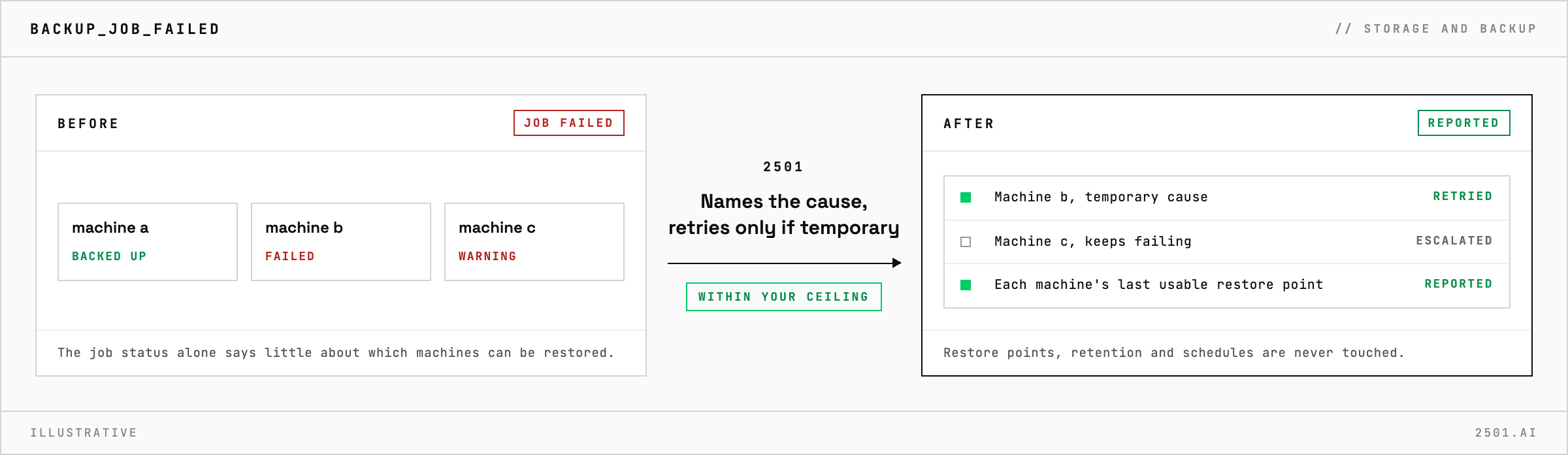
2501's Veeam Operator specialty works out why a Veeam Backup & Replication job failed or warned, retries it when the cause is temporary, and reports how recoverable each machine really is.
A backup job ends in a warning or a failure, and the job status alone says little. What matters is which machines have no usable restore point, and since when, and answering that by hand means going through every failed machine.
The Veeam specialty takes these alerts and requests from your ticketing system. It traces each failed or warning job to the machines behind it and names the cause: a snapshot that could not capture an application cleanly, no capacity free to run the backup, a full or unreachable repository, a slow snapshot removal on VMware or Hyper-V, expired credentials or a licence problem. It reports each machine's real recovery point, its last usable restore point rather than its schedule, and flags gaps in backup chains and repositories running short of space. A job that keeps failing is escalated with its cause and next steps, not retried again.

Does a successful job mean the backup can be restored? Not always. 2501 reports each machine's last usable restore point and, where Veeam checks that backups can really be restored, flags jobs that succeeded but failed that check.
Can it free space in a full repository? Not by deleting backups. It reports how full the repository is and how fast it is filling, so the capacity decision stays with you.
Each page is one kind of ticket, and how this specialty handles it within the limits you set.
> READY_TO_DEPLOY
Book a technical demo and walk through your own environment with the 2501 team.

