AGENT SPECIALTY //
Virtualization
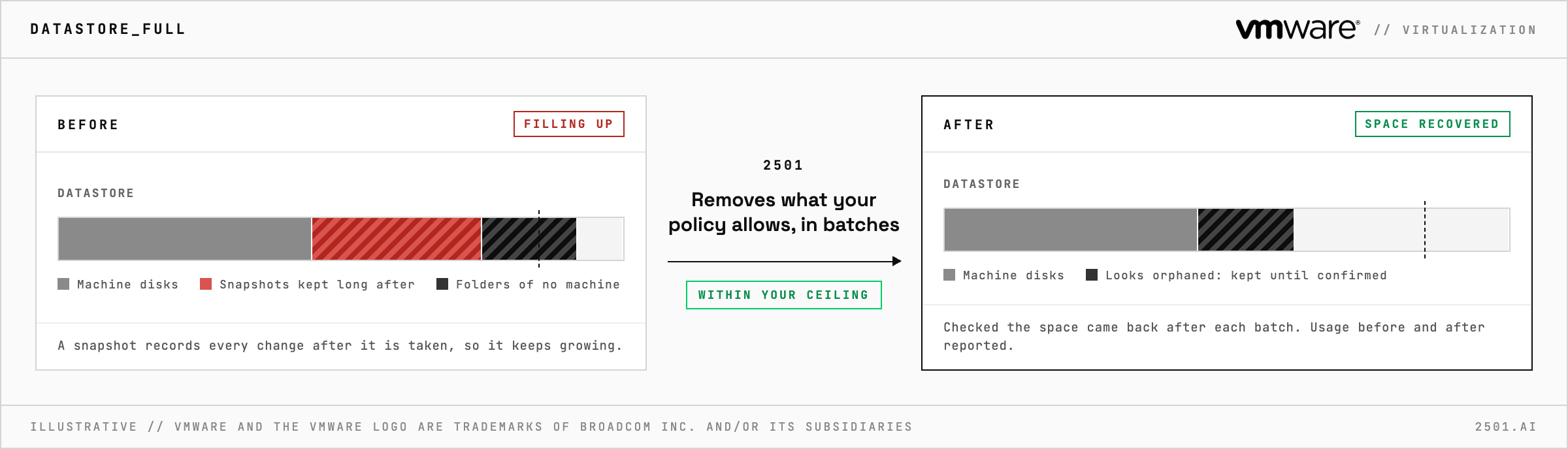
2501's VMware Datastore Operator investigates full vSphere datastores, removes the snapshots your policy allows, finds orphaned files and reports the space it freed.
TICKETS FROM
ServiceNow or another ITSM
CATEGORY
Virtualization
AUTONOMY
Investigate only, with a person, or on its own
DEPLOYMENT
On-prem, cloud or hybrid
█
SPECIALTY_BRIEFING
// WHAT 2501 DOES
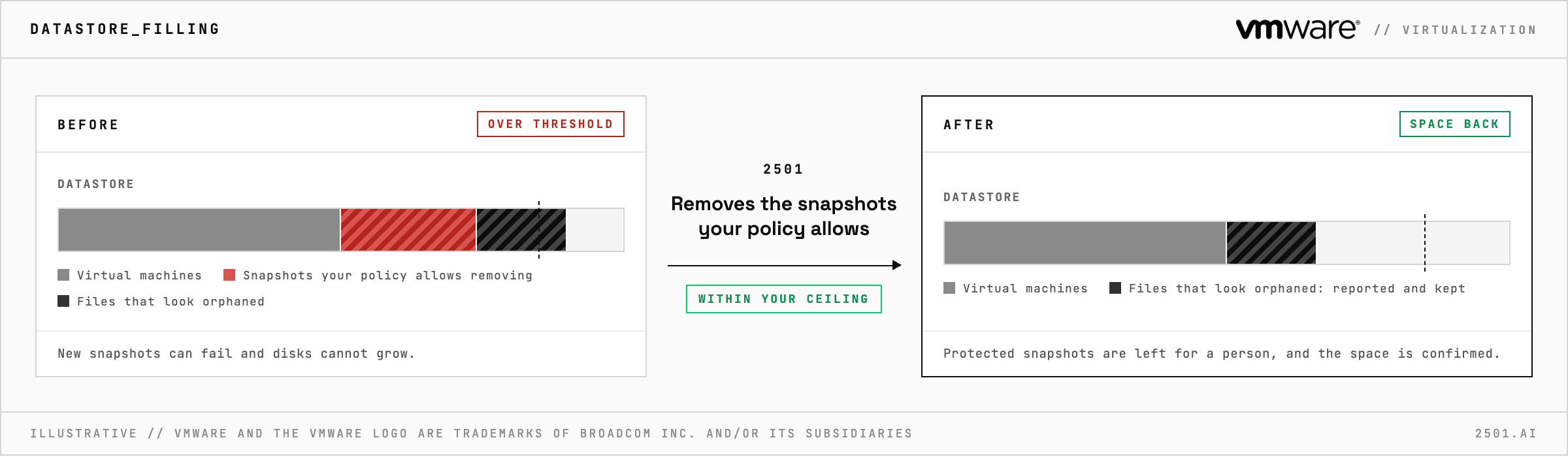
VMware Datastore Operator is 2501's specialty for vSphere datastore capacity: it investigates why a datastore is filling, removes the snapshots your policy says can go, and finds files left behind by virtual machines that no longer exist. Then it reports the space recovered.
A datastore crosses its threshold and every machine on it is exposed: new snapshots can fail and disks cannot grow. The usual causes are forgotten snapshots and folders nobody remembers, found by hand one machine at a time.
The VMware specialty takes datastore alerts and cleanup requests from your ticketing system and works through 2501's VMware plugin. It finds snapshots that are old, large or stacked too deep, and removes the ones your policy allows once each machine is safe to work on. It works in small batches, confirms the space came back, and escalates when it did not. Files that look orphaned are reported with their size and kept until their status is confirmed.
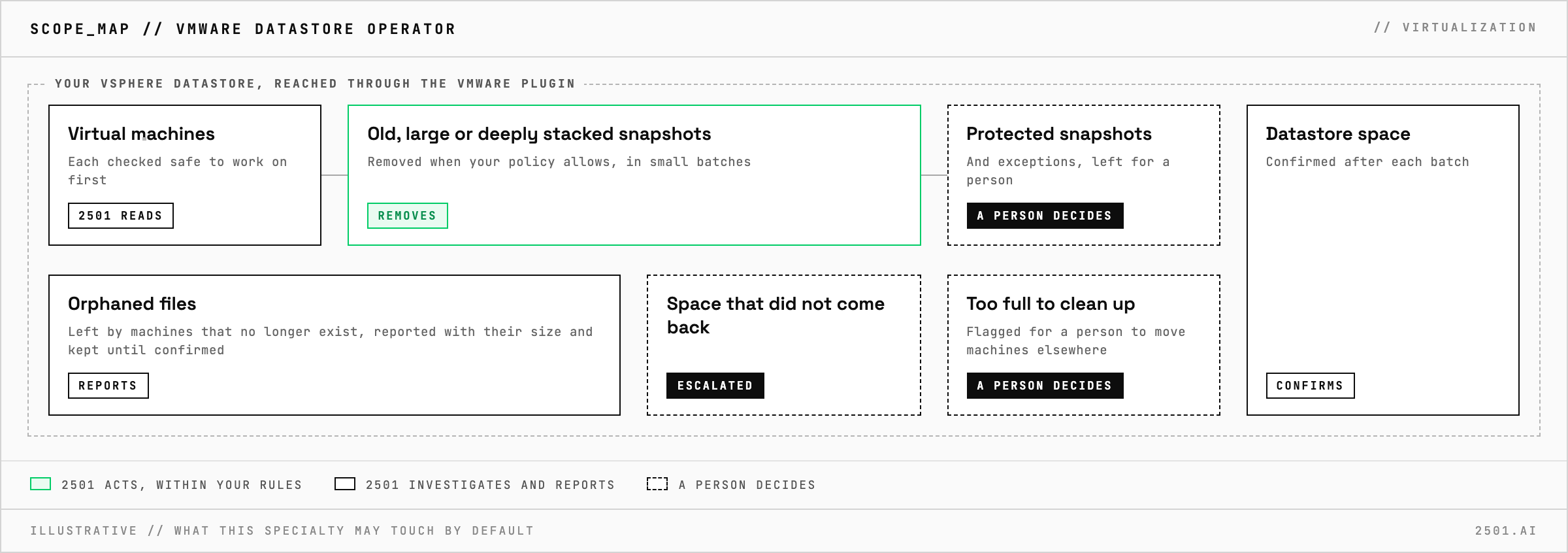
Do we register every ESXi host in 2501? No. One agent reaches the whole estate through the VMware plugin.
What if the datastore is too full to clean up? Removing a snapshot needs free space to merge it back. When there is too little, it flags the datastore for a person to move machines elsewhere.
Each page is one kind of ticket, and how this specialty handles it within the limits you set.
> READY_TO_DEPLOY
Book a technical demo and walk through your own environment with the 2501 team.