
AGENT SPECIALTY //
Baseline SysOps
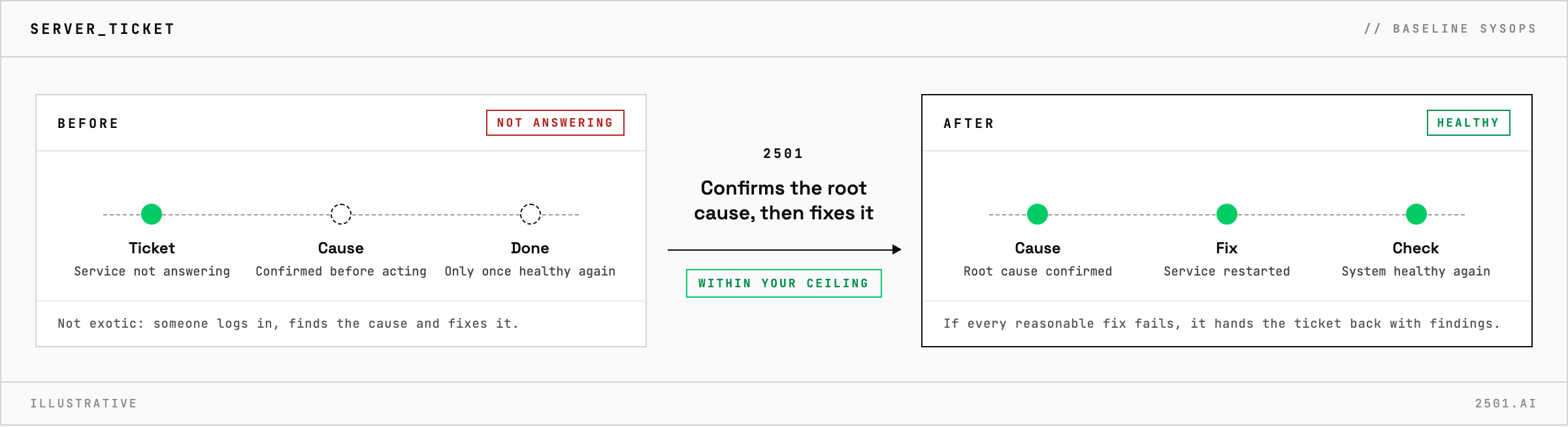
SysOps is the baseline 2501 specialty for general operations on Linux servers: it confirms the root cause, fixes it within your rules and checks the system afterwards.
TICKETS FROM
ServiceNow or another ITSM
CATEGORY
Baseline SysOps
AUTONOMY
Investigate only, with a person, or on its own
DEPLOYMENT
On-prem, cloud or hybrid
█
SPECIALTY_BRIEFING
// WHAT 2501 DOES
SysOps is the baseline 2501 specialty for general system operations and infrastructure management: the generalist that takes an incident or a maintenance task on a server from diagnosis to a verified fix, within limits you set.
Most server tickets are not exotic: a service that stopped answering, a disk nearly full, CPU or memory running high, a port the host firewall blocks, a container that died. Each one means someone logging in, finding the cause and fixing it.
SysOps works on the server through its logs, processes, services and configuration. It confirms the root cause before it acts, and a task is done only when the system is healthy again. Its everyday fixes are clearing disk space, stopping runaway processes, restarting services and correcting local configuration where clearly justified. Typical tickets are a CPU spike, memory pressure, runaway processes, a port blocked by the host firewall, ports for a new stack and firewall rules in the wrong order. It also runs routine reporting and work scheduled for a set time or a few hours from now.
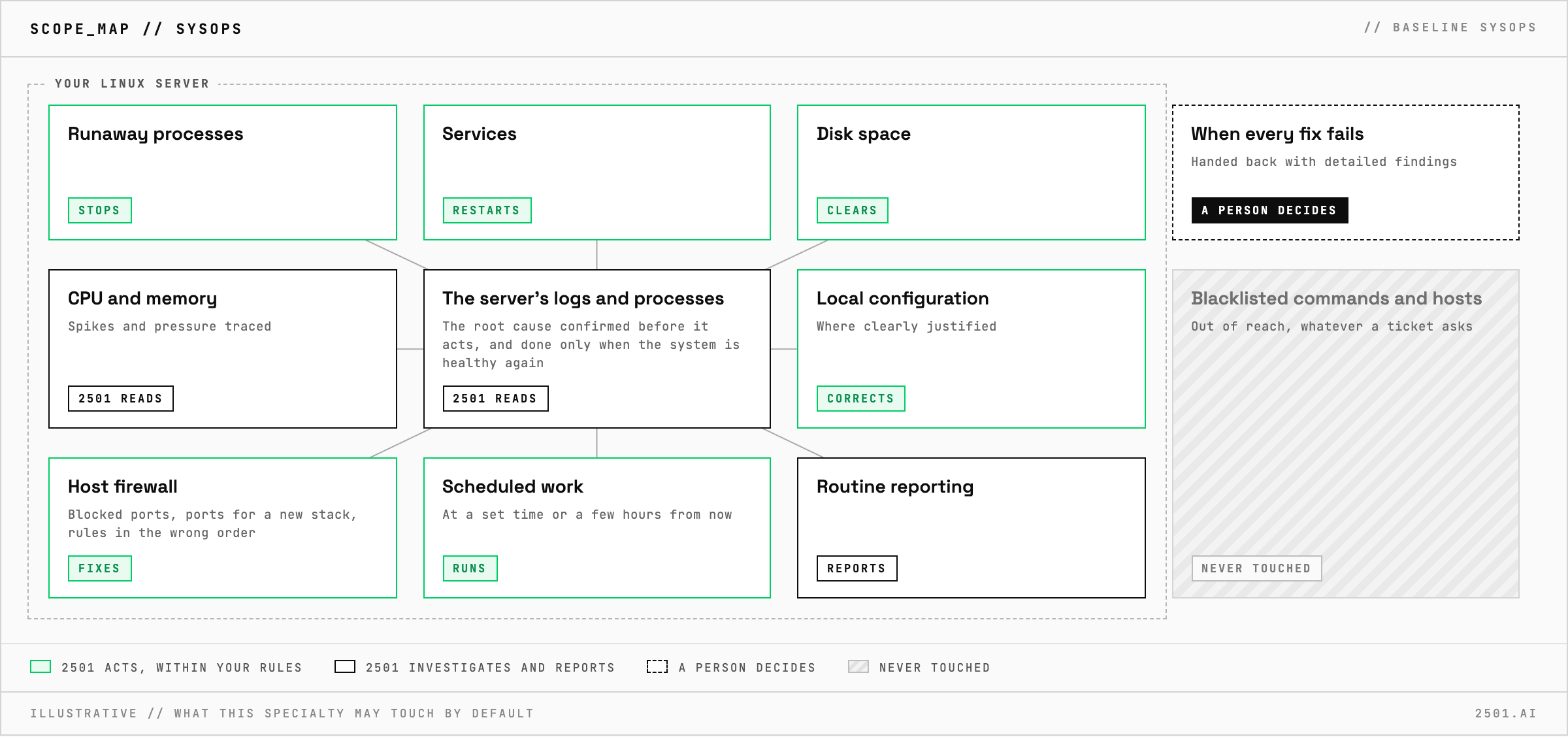
When should I use a dedicated specialty instead? Disk space and failing services have specialties scoped to that one job, Disk Manager and Services Manager Linux. SysOps covers general work on a server.
Can it investigate without changing anything? Yes. In investigate-only mode it reports the cause and the fix it would make, as when investigating a CPU spike.
Each page is one kind of ticket, and how this specialty handles it within the limits you set.
> READY_TO_DEPLOY
Book a technical demo and walk through your own environment with the 2501 team.

