
AGENT SPECIALTY //
Network and edge
HAProxy Aloha Manager handles SSL certificates, HTTPS setup, redirections and load-balanced services on HAProxy ALOHA load balancers, within your rules.
TICKETS FROM
ServiceNow or another ITSM
CATEGORY
Network and edge
AUTONOMY
Investigate only, with a person, or on its own
DEPLOYMENT
On-prem, cloud or hybrid
█
SPECIALTY_BRIEFING
// WHAT 2501 DOES
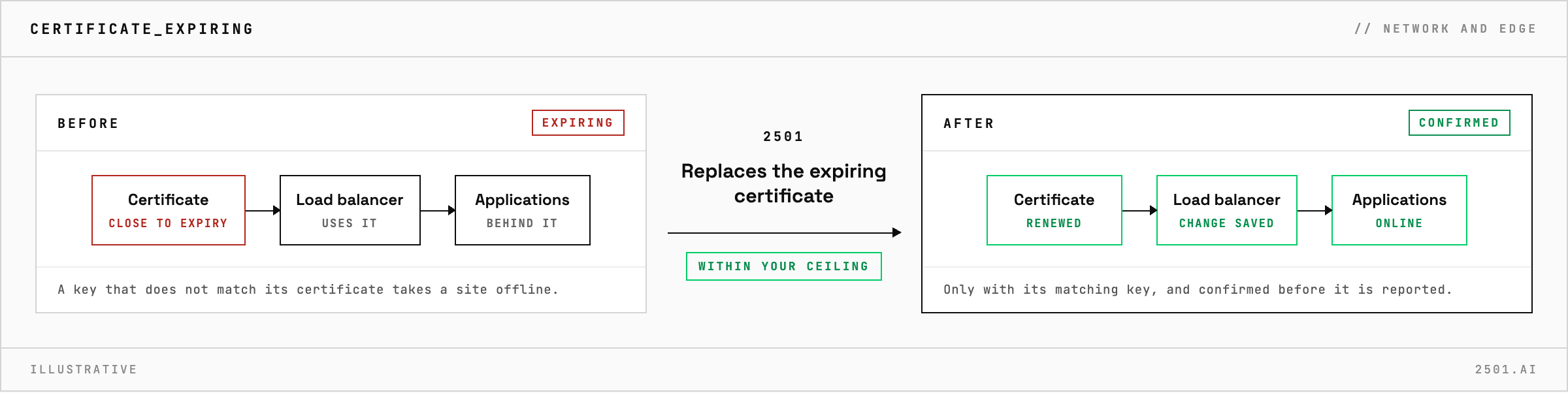
2501's HAProxy Aloha Manager specialty manages SSL certificates, redirections and load-balanced services on HAProxy ALOHA load balancers, through ALOHA's own command line. It replaces expiring certificates, sets up HTTPS access and manages the services behind it, within limits you set.
A certificate is close to expiry on a load balancer that fronts many applications, or a new service needs HTTPS and a redirect before it launches. The work is routine, but a key that does not match its certificate takes a site offline, and a change that was never saved quietly disappears at the next reboot.
The HAProxy ALOHA specialty takes these requests from your ticketing system. It handles certificate problems from creation through renewal to expiry, sets up HTTPS for each service with the right certificate attached, manages load-balanced services, and sets up redirections for services and the servers behind them. A certificate goes into service only with its matching private key and the certificates that vouch for it, and the agent confirms each change took effect before reporting what it changed.
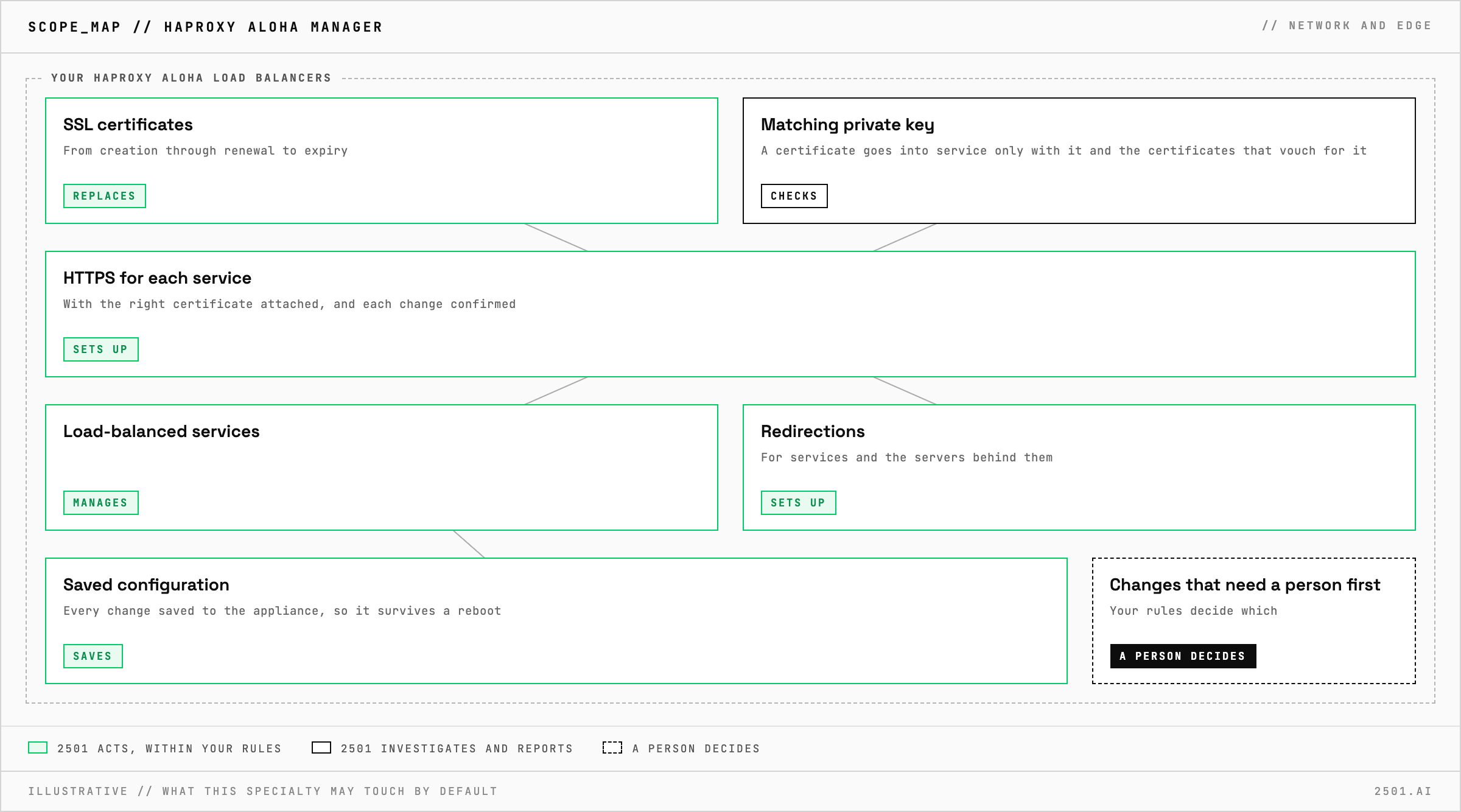
Can it replace an expiring certificate? Yes, once the renewed certificate and the files that go with it are available to it. In investigate-only mode it reports the change and makes none.
Will the change survive a reboot? Yes. Changes are saved to the appliance's configuration, not only applied to the running service.
What about nginx, Traefik and other reverse proxies? A separate specialty, Reverse Proxy Manager, covers SSL, access control, redirections and traffic routing on them.
Each page is one kind of ticket, and how this specialty handles it within the limits you set.
> READY_TO_DEPLOY
Book a technical demo and walk through your own environment with the 2501 team.

