
AGENT SPECIALTY //
Cloud platforms
Google Cloud Central investigates and fixes Compute Engine problems in a Google Cloud project, from unreachable instances to full disks, under the IAM roles you grant it.
TICKETS FROM
ServiceNow or another ITSM
CATEGORY
Cloud platforms
AUTONOMY
Investigate only, with a person, or on its own
DEPLOYMENT
On-prem, cloud or hybrid
█
SPECIALTY_BRIEFING
// WHAT 2501 DOES
2501's Google Cloud Central specialty handles Compute Engine incidents and maintenance for a whole Google Cloud project from one central instance, under the IAM roles you grant it. It investigates, fixes and reports, only as far as you allow.
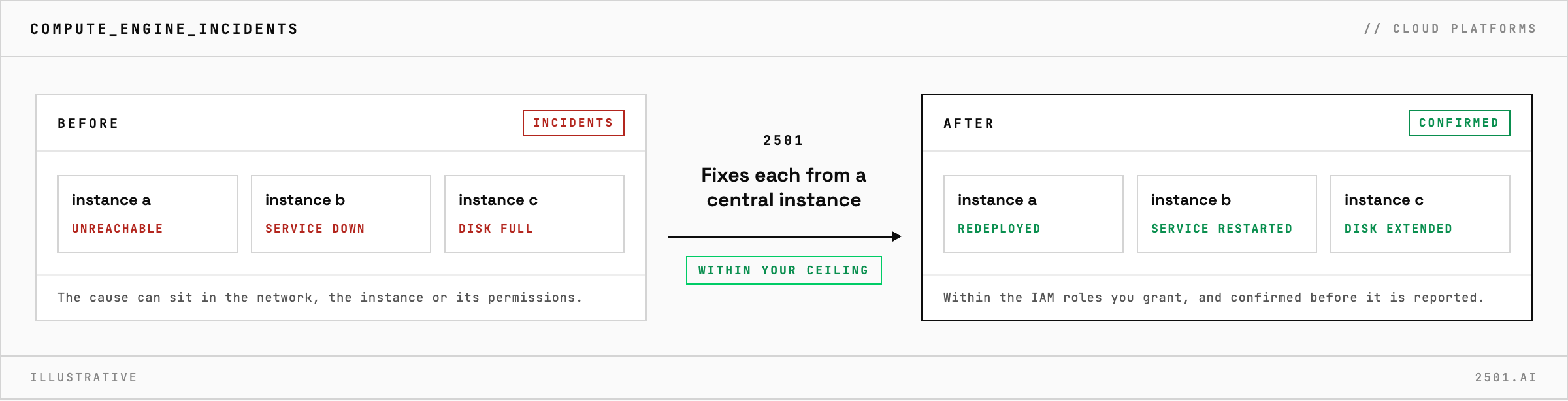
An instance stops answering, a service goes down, a disk fills up. The fix is usually small, but the cause can sit in the network, the instance or its permissions, and finding which often takes longer than the fix.
The Google Cloud Central specialty takes these requests from your ticketing system and handles maintenance, incident investigation and remediation across Compute Engine and related services in its project. It works out why an instance cannot be reached, why a service is down, why an operation is refused for lack of a permission, or where infrastructure has drifted. When it cannot tell which resource a ticket means, it asks a person rather than guess. Where you allow it, it restarts a failed service, redeploys a resource, or clears or extends a full disk, working on the instance itself when that is where the fix is. It confirms the result before reporting what it changed and why.

Do we register every instance with 2501? No. One agent works from a central instance and handles the project from there.
Does it work beyond Compute Engine? It covers Compute Engine and the services related to it, in one project. Other Google Cloud services are outside this specialty.
Each page is one kind of ticket, and how this specialty handles it within the limits you set.
> READY_TO_DEPLOY
Book a technical demo and walk through your own environment with the 2501 team.

