
SOLUTION //
Disk Manager Windows
Deleting shadow copies, dumps or logs frees a Windows drive fast and can cost a restore or a crash analysis. How 2501 clears only what is safe and reports the rest.
TICKETS FROM
ServiceNow or another ITSM
SAFEGUARDS
Your rules, confirmation and blacklists
AUTONOMY
Investigate only, with a person, or on its own
DEPLOYMENT
On-prem, cloud or hybrid
█
SOLUTION_BRIEFING
// HOW 2501 HANDLES IT
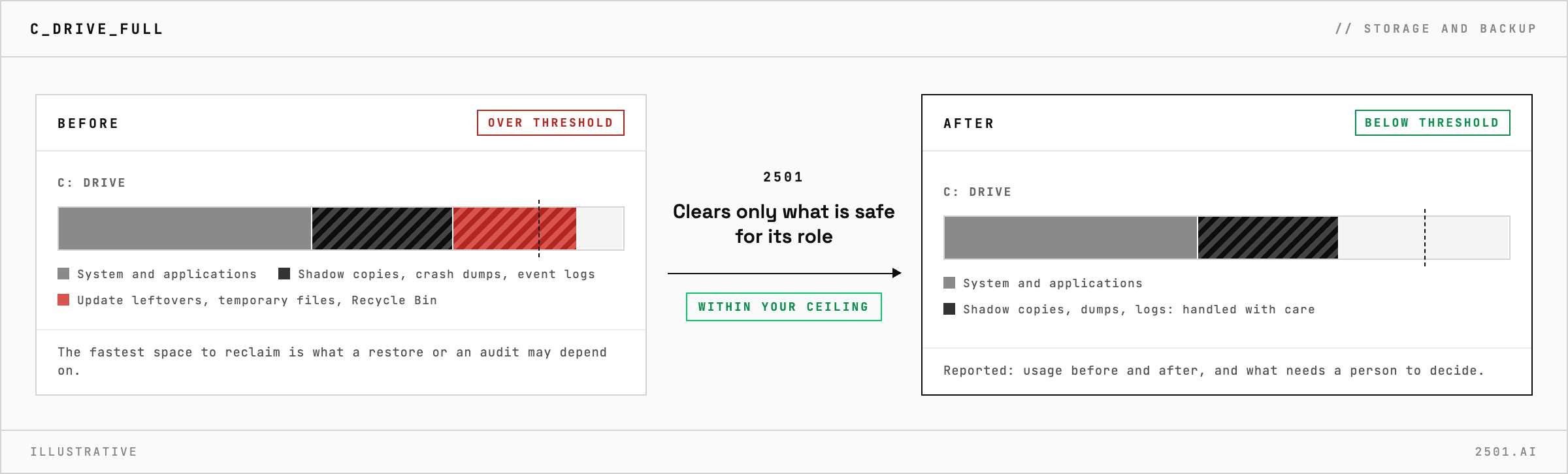
When the C: drive on a Windows server fills up, the fastest space to reclaim, such as shadow copies, crash dumps and event logs, is also what a restore, a crash analysis or an audit may depend on. 2501 finds where the space went, clears only what is safe, and reports the rest for a person to decide.
Space also goes to places few people check, such as update and servicing leftovers, temporary files and the Recycle Bin.
The Windows disk specialty brings the discipline used on a full Linux partition to Windows Server. It checks the drive and the disk under it and works out what is using the space before removing anything. It adapts to the server's role, since a domain controller, a database server and a web server differ in what is safe to clear, and frees the drive back below its alert threshold when that can be done safely.
Its report gives usage before and after, what each action recovered, why the space built up, and what needs an application owner, a policy change or more capacity.

Why not just delete the shadow copies? They often back your backup and recovery work, so shrinking their storage waits for approval.
Does it cover drives other than C:? Yes. It handles capacity alerts on any Windows Server volume, whether it holds the system, data or logs.
> READY_TO_DEPLOY
Book a technical demo and walk through your own environment with the 2501 team.
