
SOLUTION //
Cisco Operators
A failed login shows up in Cisco ISE, but the cause often sits elsewhere. How 2501 reads the reason ISE recorded, fixes what belongs in ISE and routes the rest.
TICKETS FROM
ServiceNow or another ITSM
SAFEGUARDS
Your rules, confirmation and blacklists
AUTONOMY
Investigate only, with a person, or on its own
DEPLOYMENT
On-prem, cloud or hybrid
█
SOLUTION_BRIEFING
// HOW 2501 HANDLES IT
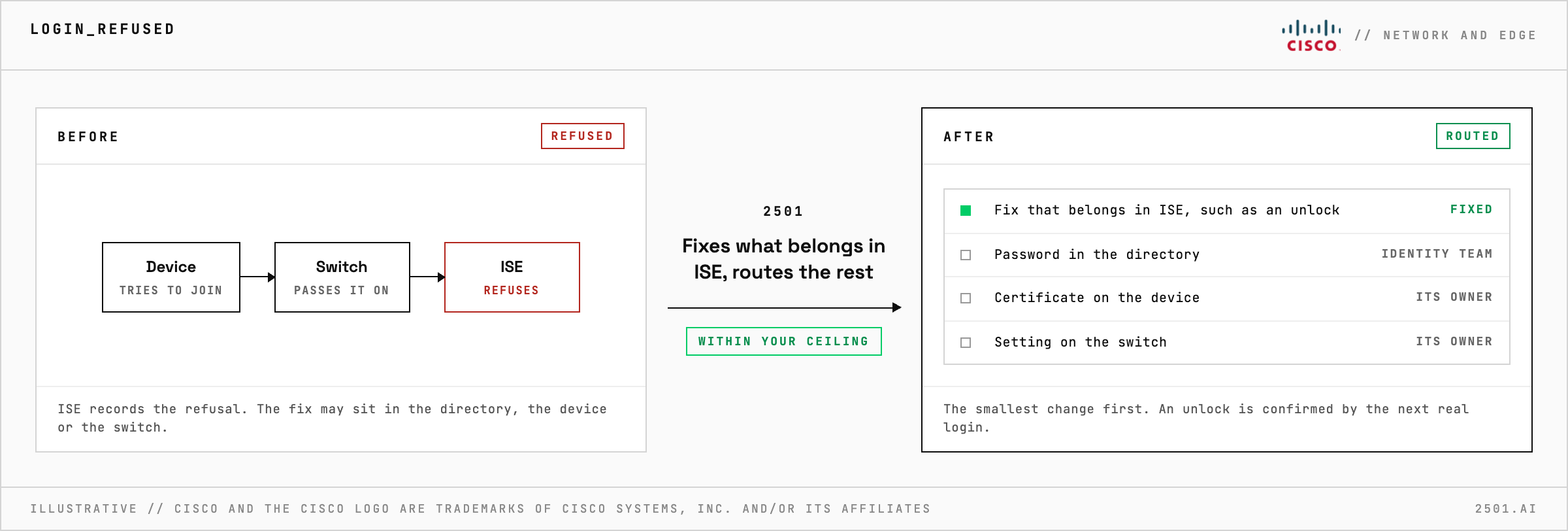
A failed network login shows up in Cisco ISE, so loosening an ISE rule looks like the fix, but the cause often sits elsewhere, and a looser rule lets in more than the one user. 2501 fixes what belongs in ISE and hands the rest to whoever owns it, all within limits you set.
A user cannot join the Wi-Fi, or a printer drops off the network. ISE records the refusal, but the fix may be a password in the directory, a certificate on the device or a setting on the switch, each owned by a different team.
The Cisco ISE Operator investigates before it changes anything, diagnosing each failure from the reason ISE recorded to find who owns the fix. When the fix belongs in ISE, such as unlocking an internal user locked out after failed attempts, registering a switch or wireless controller that ISE does not know, or adding a printer to the group your policy expects, it makes the smallest change that solves it. Anything else goes to whoever owns it, with the evidence.

Why is the fix so often outside ISE? ISE makes the decision, but the refusal often starts in the directory, on the device or in the network equipment, and the reason ISE recorded shows which.
How does it know an unlock worked? From the user's next real login. Until that succeeds, the ticket shows the change as applied and waiting for the user to try again.
> READY_TO_DEPLOY
Book a technical demo and walk through your own environment with the 2501 team.
