
SOLUTION //
Elasticsearch Operator
Deleting the red index or forcing a stale shard turns a cluster green and can lose data. How 2501 finds why each shard is unassigned and recovers what is safe to recover.
TICKETS FROM
ServiceNow or another ITSM
SAFEGUARDS
Your rules, confirmation and blacklists
AUTONOMY
Investigate only, with a person, or on its own
DEPLOYMENT
On-prem, cloud or hybrid
█
SOLUTION_BRIEFING
// HOW 2501 HANDLES IT
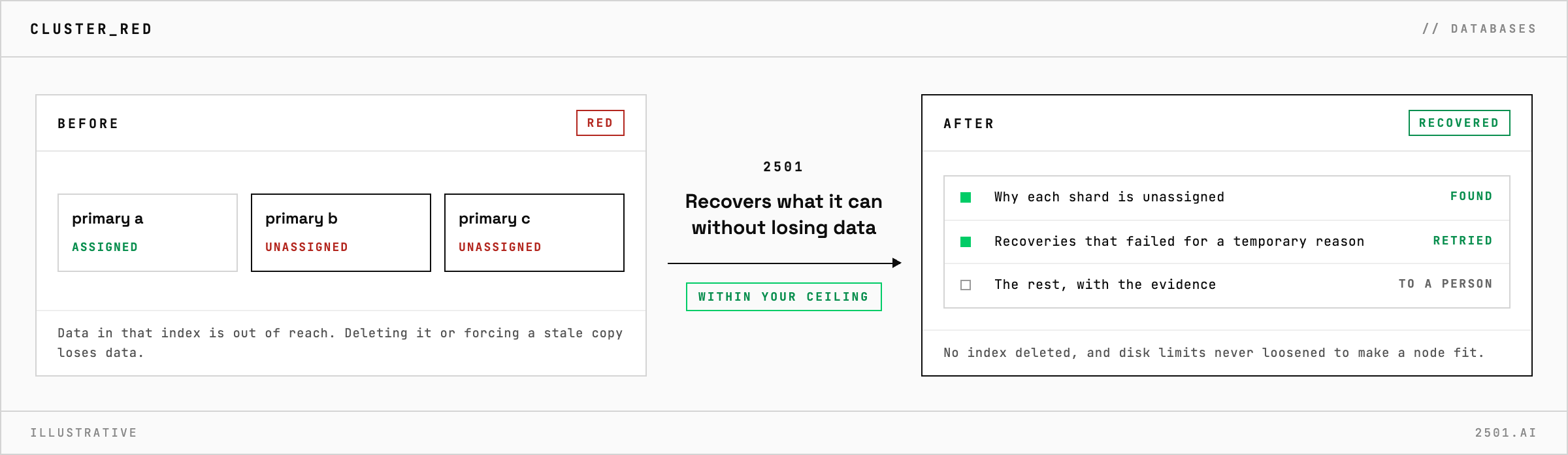
A red cluster means at least one primary shard is unassigned, and the quickest ways back to green, deleting the index or forcing the shard from a stale or empty copy, are the ones that lose data. 2501 finds out why each shard is unassigned and recovers what can be recovered without that risk.
It happens on Elasticsearch and OpenSearch alike. Until it is fixed, some of that index's data is out of reach, and the cause is usually disk, a node that left or one damaged shard.
The Elasticsearch specialty takes the alert from your ticketing system and finds the reason behind each unassigned shard before it acts, primaries first. It retries recoveries that failed for a temporary reason, reopens indices in scope, and waits for a node that is only restarting rather than moving its shards. When a full disk is the cause, it never loosens the disk limits to make the node fit.
It reports what it found and recovered. The rest goes to a person with the evidence: the affected indices, why each shard is stuck, and the recommended next step.

Is a yellow cluster an emergency too? Less so: every primary shard is allocated and the data is available, but some replicas are missing, so losing a node could put some of it out of reach. 2501 explains which ones, and why.
Can it restore the index from a snapshot? Only when a ticket asks, and always into a new index beside the live one, never over it.
> READY_TO_DEPLOY
Book a technical demo and walk through your own environment with the 2501 team.
