
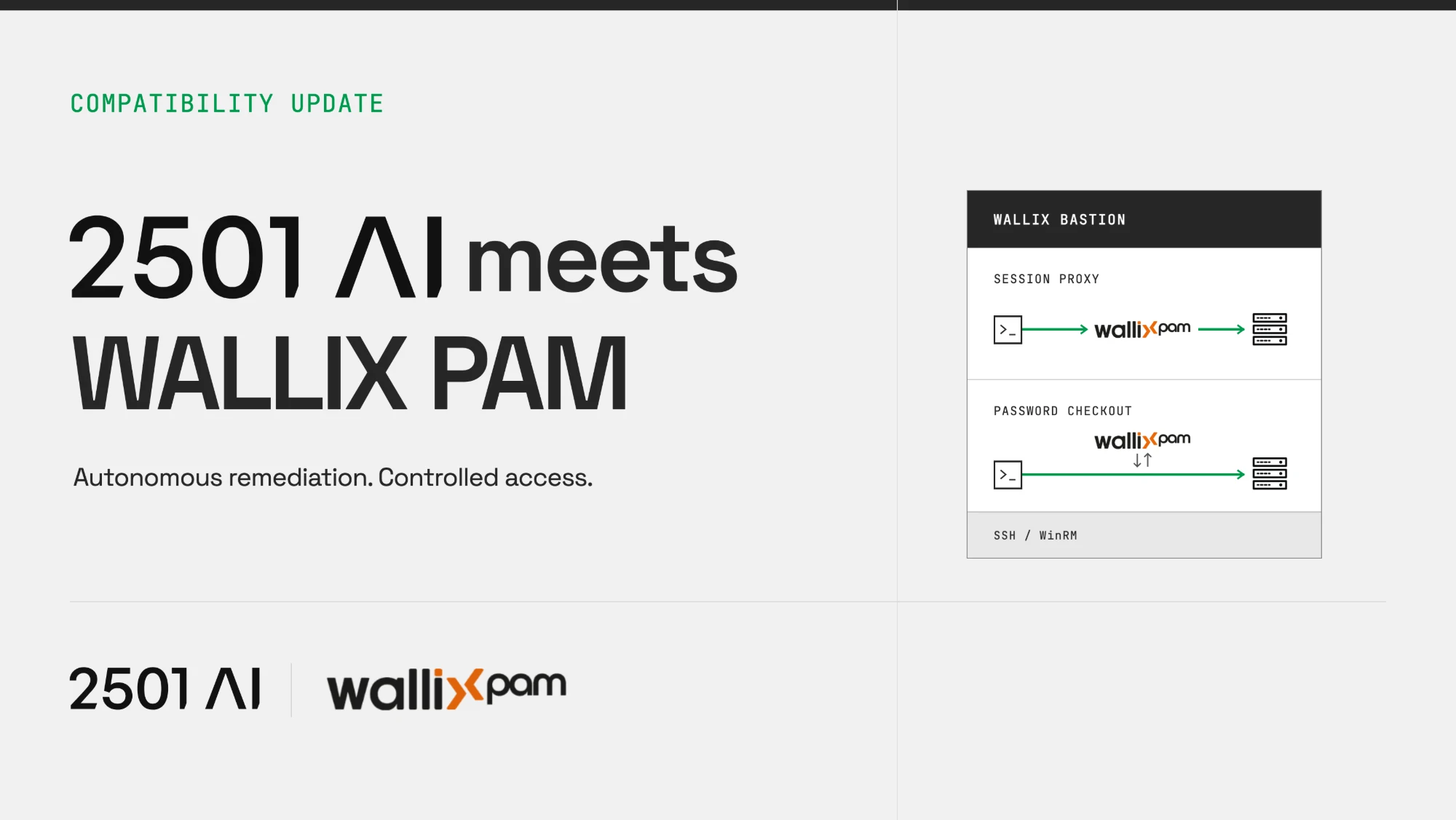
Every security team asks the same question the first time it sees an AI agent fix a server on its own: how did it get in? When you run a PAM, 2501 can go through it. Agents reach your servers through the WALLIX Bastion your security team already runs, either inside a session the Bastion records or with a password checked out for the length of one task. The target account's password never lives in 2501, and hosts outside your PAM keep using the credentials stored in 2501.
TL;DR
- Your PAM stays the source of truth. 2501 reads credentials from WALLIX at the moment it needs them. It keeps only the name of the PAM system and the path of the account, never the password.
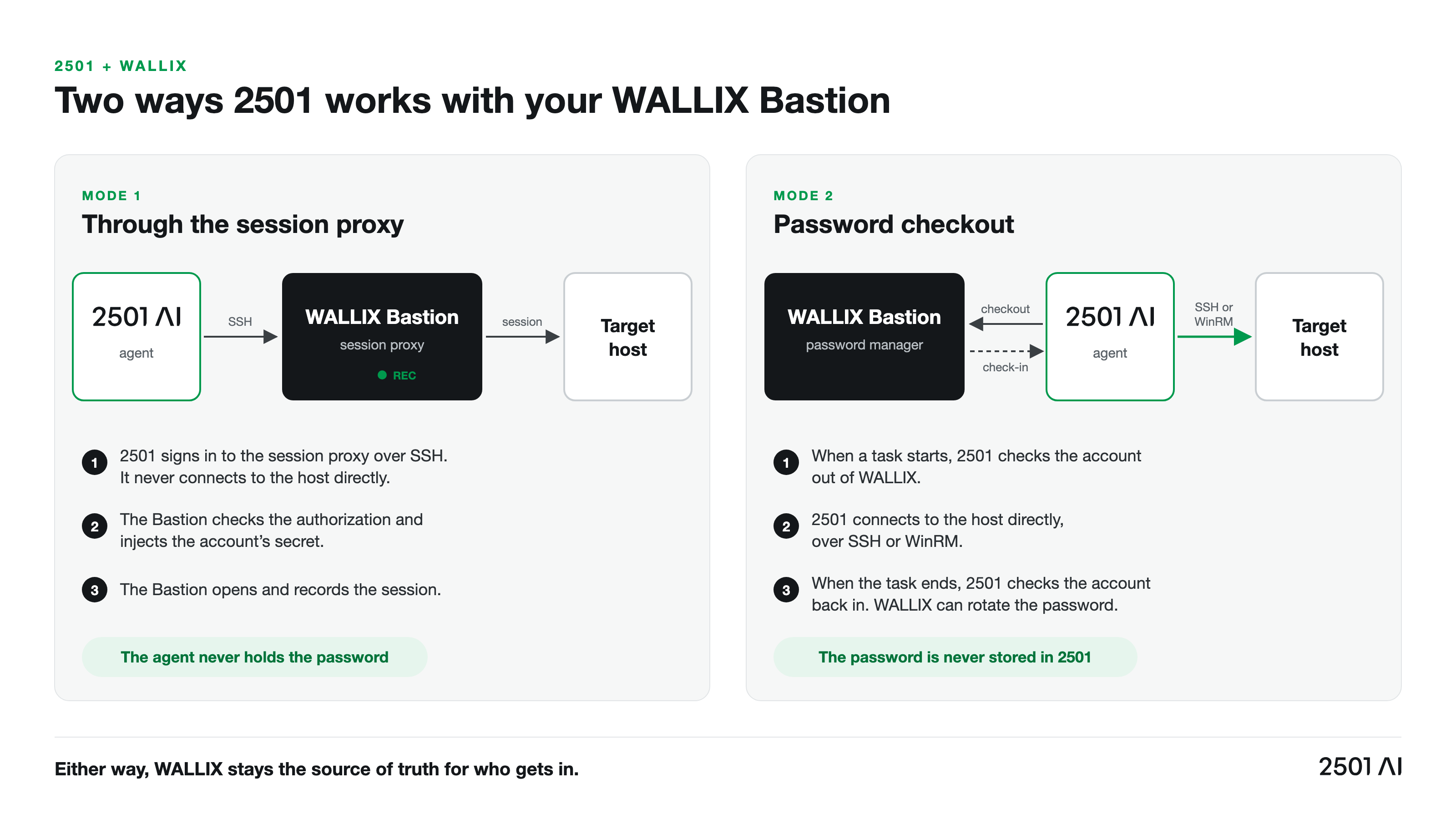
- Two ways in, both under WALLIX control. Through the Bastion's SSH proxy, the Bastion opens and records the session and the agent never holds the password. With password checkout, 2501 checks the account out when a task starts and checks it back in when the task ends.
- Password rotation breaks nothing. Each task reads the account again, so a password WALLIX rotated overnight is simply picked up on the next run.
- Two layers of control, not one. WALLIX decides who gets in and records what happens. 2501 decides what each agent may touch and whether it may change anything at all.
- CyberArk works the same way. 2501 reads from CyberArk through its Central Credential Provider, and can go through CyberArk PSM for SSH.
What an AI agent needs from your PAM
Privileged accounts are the keys to the estate: root on a database server, an admin session on a hypervisor, a service account that can restart production. They are the accounts attackers go after first and the ones auditors ask about first. That is why so many banks, hospitals, public bodies and critical infrastructure operators put a PAM platform like WALLIX between their people and their servers.
An autonomous agent is a new kind of privileged user. It works at 3 AM, it runs commands and it changes production. If it sits outside your PAM, the most active operator on your estate becomes the least controlled one. So an agent has to meet four requirements before a security team lets it near production:
- A controlled path (must have). The agent reaches servers the same way your operators do, through the route your policy requires.
- No standing secrets (must have). The agent does not keep its own copy of privileged passwords. Your PAM owns them.
- A record (must have). Your security team can see what the agent did, in the tools it already uses.
- A limited reach (matters). The agent can touch only the servers it was set up for, and can be kept from changing anything until you trust it.
How 2501 connects through WALLIX
An administrator adds the WALLIX Bastion to 2501 once, on the Privileged access page: its address, a WALLIX API user and that user's API key. A Sign in button tests the connection from 2501, as a task would. Then each privileged account becomes a PAM account credential in 2501, named by its WALLIX path, for example root@local@srv42. From there, 2501 works with the Bastion in one of two ways.
Mode 1: through the session proxy
The host is set to go through the WALLIX Bastion's SSH proxy. 2501 never connects to that host directly. It signs in to the proxy, names the account it needs in the form WALLIX expects, and the Bastion checks the authorization, opens the session with the account it holds and records it. The agent holds no password and no key. If the Bastion refuses the account, the task stops and reports the Bastion's answer.
Mode 2: password checkout
When a task starts, 2501 checks the account out of WALLIX through its API, once per task. It connects to the host itself, over SSH or WinRM. When the task ends, 2501 checks the account back in, which lets WALLIX rotate the password. The API user only needs password retrieval on the accounts 2501 uses.
What this means for security teams: nothing about your PAM has to change. WALLIX keeps the passwords, the authorizations and the recordings. 2501 is one more user that goes through it.
What your security team keeps
- Authorization at the Bastion. Through the session proxy, a session opens only when WALLIX allows it.
- Recording where you already look. Sessions through the proxy are recorded by the Bastion, next to every human session.
- Passwords that stay in WALLIX. 2501 stores the PAM system and the path, nothing else. The value is read when it is needed.
- Rotation on your schedule. Checked-out accounts go back to WALLIX at the end of each task, and the next task reads the account again.
- Secrets kept away from the agent's reasoning. The credentials used to open a session are handled apart from the ones an agent can reference during a task, so login secrets never reach the agent's reasoning.
- A short list of secrets per agent. An agent is only told about the credentials on its own allowlist. When it needs one, it references it by name and 2501 resolves the real value at run time.
Two layers of control, not one
WALLIX answers one question very well: should this session open, and what happened during it? 2501 adds a second layer that answers a different one: once the agent is in, what is it allowed to do?
- Scope. You choose which hosts each agent can reach. An agent set up for your database fleet never sees your firewalls.
- Investigate or remediate. In investigate mode the agent diagnoses and reports without changing anything. You can force it for a whole specialty, or for one ticket by tagging it
@2501:investigate. - Read-only oversight. The Auditor role can open every agent, host, task, log and credential in its scope, but can never create, edit, run or stop anything. It is built for security reviewers, compliance teams and outside assessors.
What this means for security teams: revoke an account in WALLIX and the agent loses it exactly as a person would. Narrow an agent in 2501 and it never tries to go further.
What it looks like in practice
A full disk on a production database server
An alert fires at 2 AM: a database server behind your Bastion is at 96% disk. The 2501 agent picks up the incident and opens an SSH session through the WALLIX proxy. It finds rotated logs that were never compressed, cleans them up, confirms the database is healthy and closes the ticket. In the morning your security team finds the session in the WALLIX recordings, like any other privileged session.
A security review before go-live
Your CISO wants to see 2501 at work before it is allowed to change anything. The security team gets the Auditor role, so it can inspect every task without being able to start one. For the first weeks the agents run in investigate mode only: they diagnose real incidents and propose fixes, but change nothing. When the team is satisfied, you lift the restriction one specialty at a time.
A password rotation that breaks nothing
WALLIX rotates the password of a service account overnight. The 2501 credential points to the account's path, not to the old value, so the next task checks out the new password. Nothing to update in 2501, no failed sessions, no secret copied into another tool.
How to put 2501 behind your WALLIX Bastion
- Create a WALLIX API user for 2501. Give it password retrieval on the accounts 2501 will use, and nothing more.
- Add the Bastion in 2501. As an administrator, open Privileged access, add a PAM system of type WALLIX with its address, the API user and the API key. Click Sign in to test.
- Name the accounts. Create a PAM account credential for each privileged account, with its WALLIX path (
account@domain@device). - Pick the route per host. Send SSH hosts through the Bastion's session proxy to have every session recorded, or assign the credential to an agent to use password checkout.
- Scope each agent. Give each agent only the hosts and credentials its specialty needs.
- Start in investigate mode. Let the security team watch real diagnoses before any agent is allowed to make a change.
Built for regulated environments
- ISO 27001 certified, SOC 2 Type II audited, HIPAA compliant
- Runs on-prem, in the cloud or hybrid, including air-gapped on-prem installs
- Admin, User and Auditor roles, scoped by organization
- Scoped agents, allowlisted credentials and an investigate-only mode
Teams that chose WALLIX for sovereign, auditable access control can add autonomous remediation without changing that posture.
Caveats
- The session proxy covers SSH. WinRM hosts use password checkout. Jump hosts cannot go through a PAM system.
- Privileged access is an option to turn on. It ships with 2501 0.19 and is turned on per deployment.
- The Bastion has the last word. If WALLIX refuses an account, the task stops and reports the refusal. 2501 does not try another way in.
