
AGENT SPECIALTY //
Containers and services
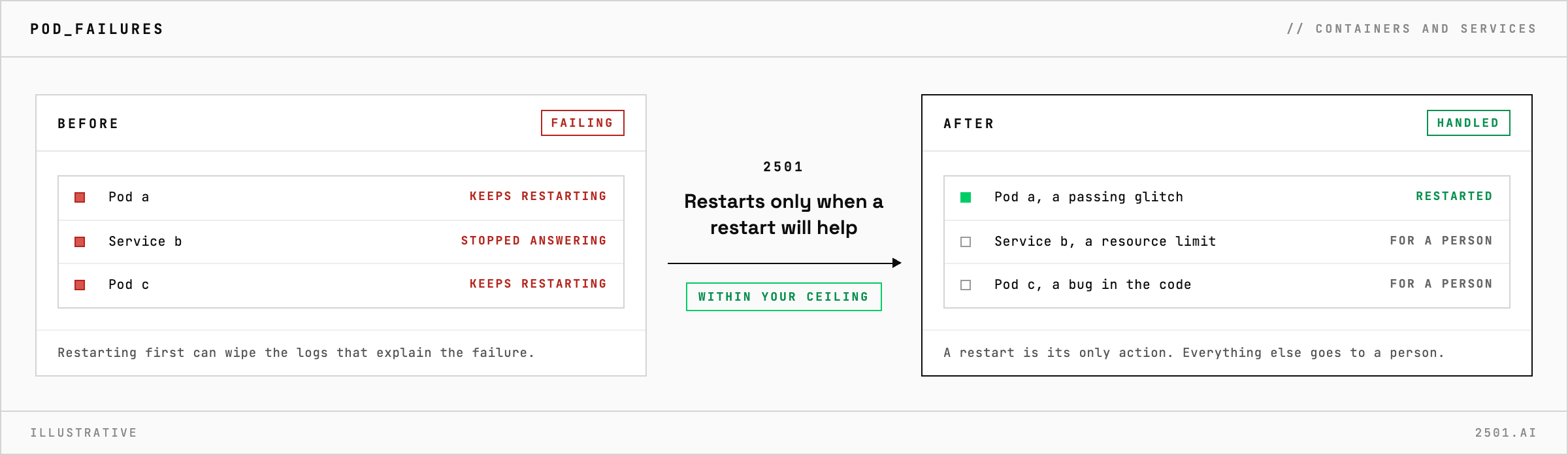
2501's Kubernetes Operator investigates failing pods and services on Kubernetes and OpenShift, restarts only when a restart will help, and hands the rest over with evidence.
TICKETS FROM
ServiceNow or another ITSM
CATEGORY
Containers and services
AUTONOMY
Investigate only, with a person, or on its own
DEPLOYMENT
On-prem, cloud or hybrid
█
SPECIALTY_BRIEFING
// WHAT 2501 DOES
Kubernetes Operator is 2501's specialty for failing pods and services on Kubernetes and OpenShift: it finds out why a workload failed, restarts it only when that will help, and hands everything else to your on-call engineer with the evidence.
A pod keeps restarting or a service stops answering, and someone has to work out whether it is a passing glitch, a resource limit, a missing image or a bug in the code. Restarting first is tempting, and it can wipe the logs that explain the failure.
The Kubernetes specialty takes these alerts from your ticketing system and investigates before it acts, keeping the evidence a restart would erase. It works out whether the failure comes from the application, a temporary problem, a resource limit or the cluster itself. It restarts a workload only when the cause is temporary, such as stale state or a brief network or node problem, and stops after a few attempts rather than looping. Anything else it reports, with the cause, a timeline and the change it recommends, for a person to make.
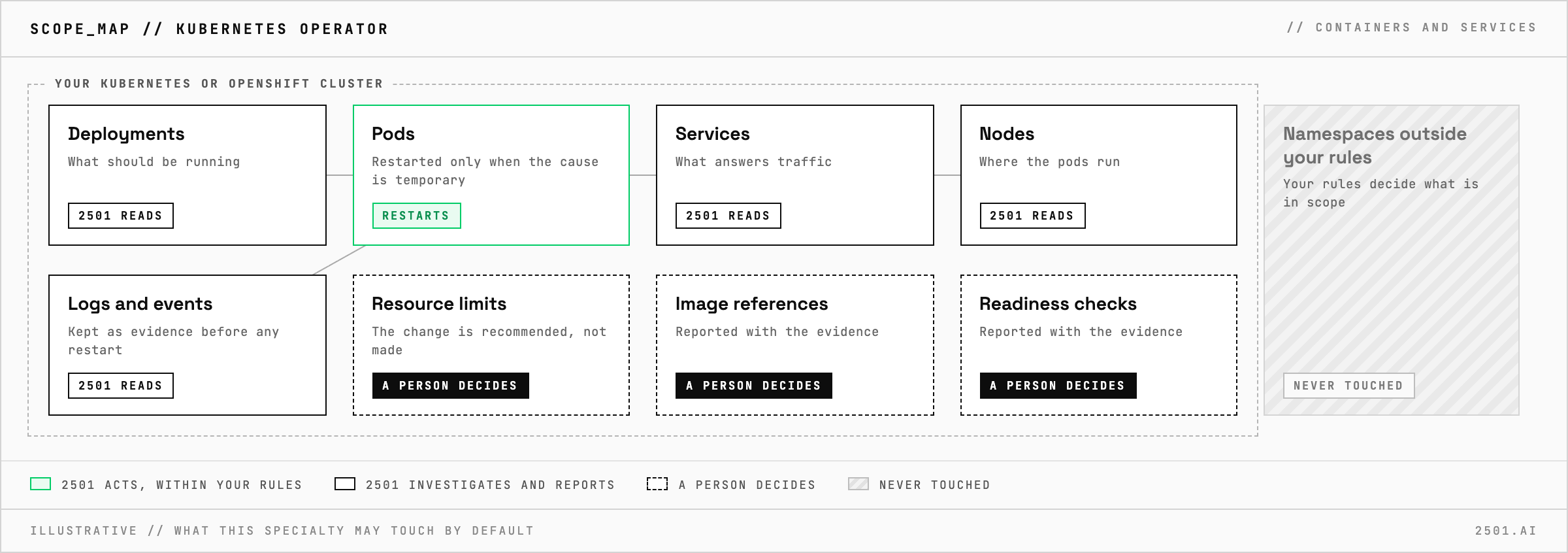
Will it restart every failing pod? No. When the cause is in the code, the configuration or a resource limit, a restart would only hide it, so it reports instead.
Does it work on OpenShift? Yes. It covers Kubernetes and OpenShift environments.
Each page is one kind of ticket, and how this specialty handles it within the limits you set.
> READY_TO_DEPLOY
Book a technical demo and walk through your own environment with the 2501 team.

